> For the complete documentation index, see [llms.txt](https://docs.lan.kokomocloud.com/llms.txt). Markdown versions of documentation pages are available by appending `.md` to page URLs; this page is available as [Markdown](https://docs.lan.kokomocloud.com/managing-devices/managing-switches/vlans.md).
# VLAN
## VLANの個別手動設定
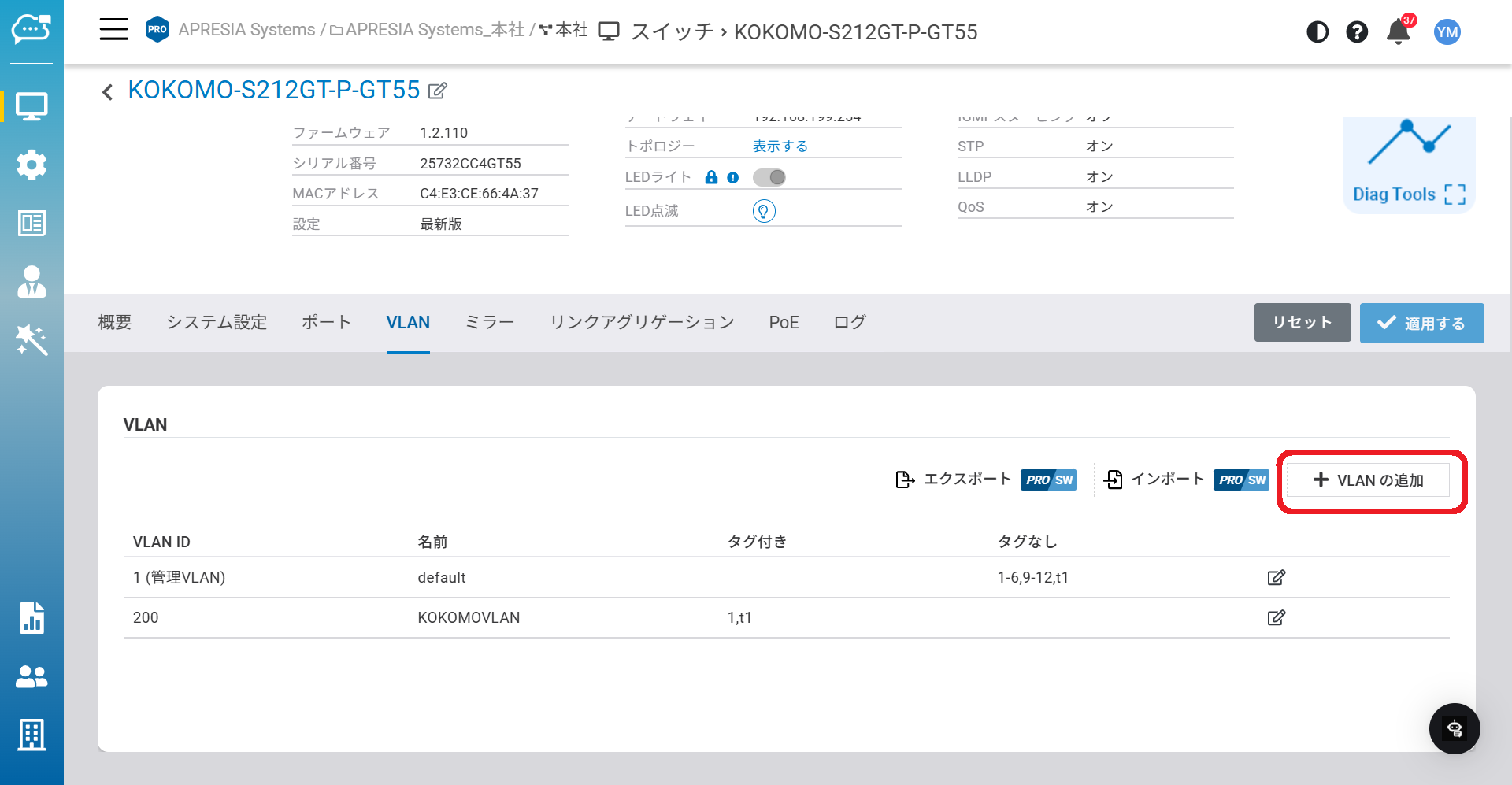
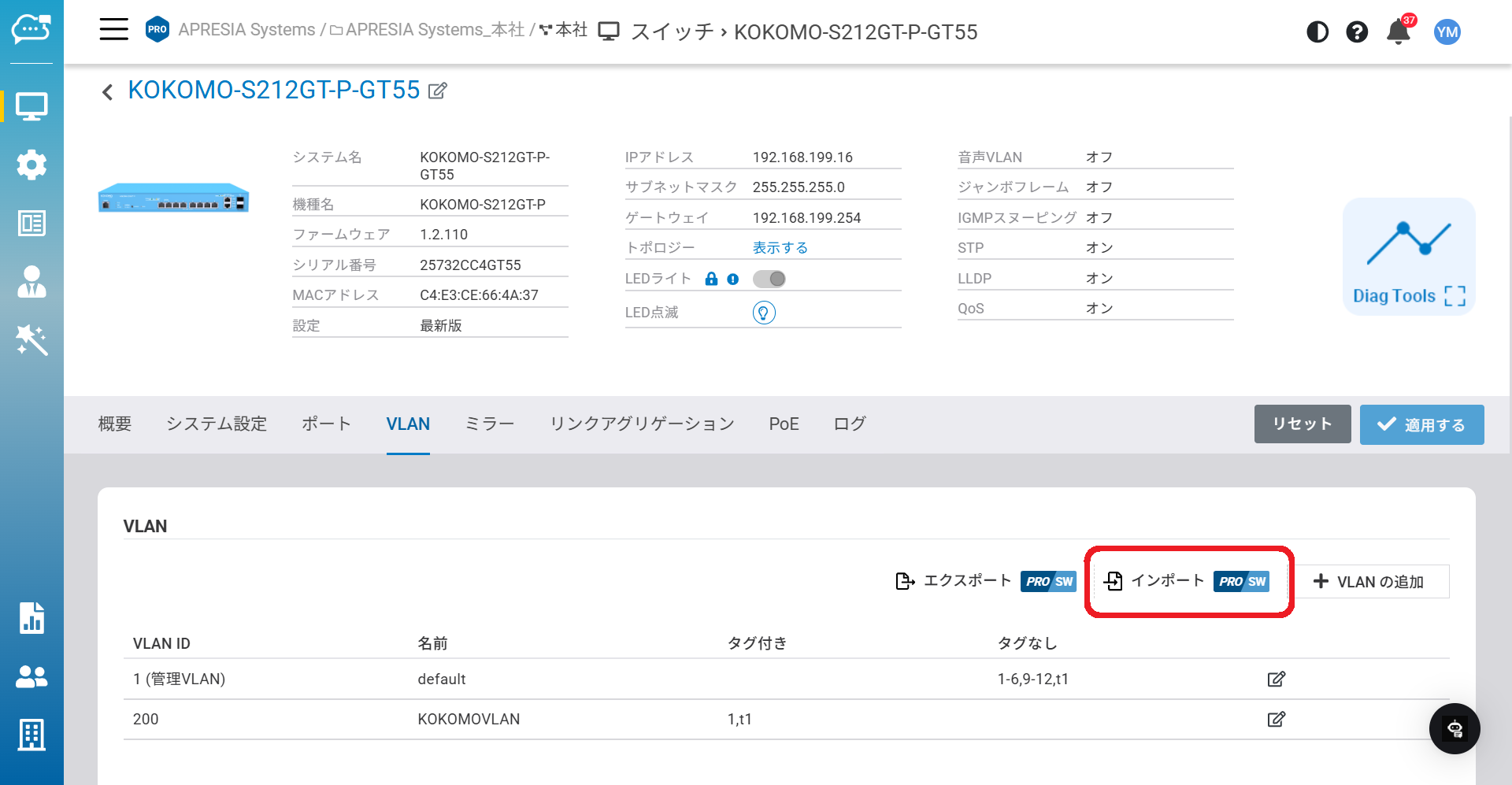
「**管理**」>「**スイッチ**」>「**詳細情報**」>「**VLAN**」からこのページにアクセスできます。
「**VLAN**」タブを使用して、スイッチ上でVLANを手動設定できます。「**VLANの追加**」をクリックすると新しいVLANを追加できます。
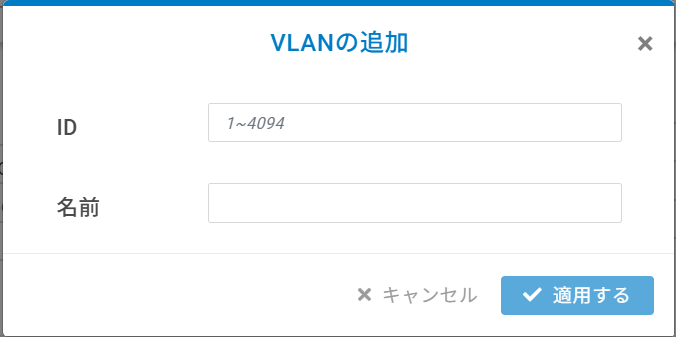
追加するVLANのIDと名前を入力します。
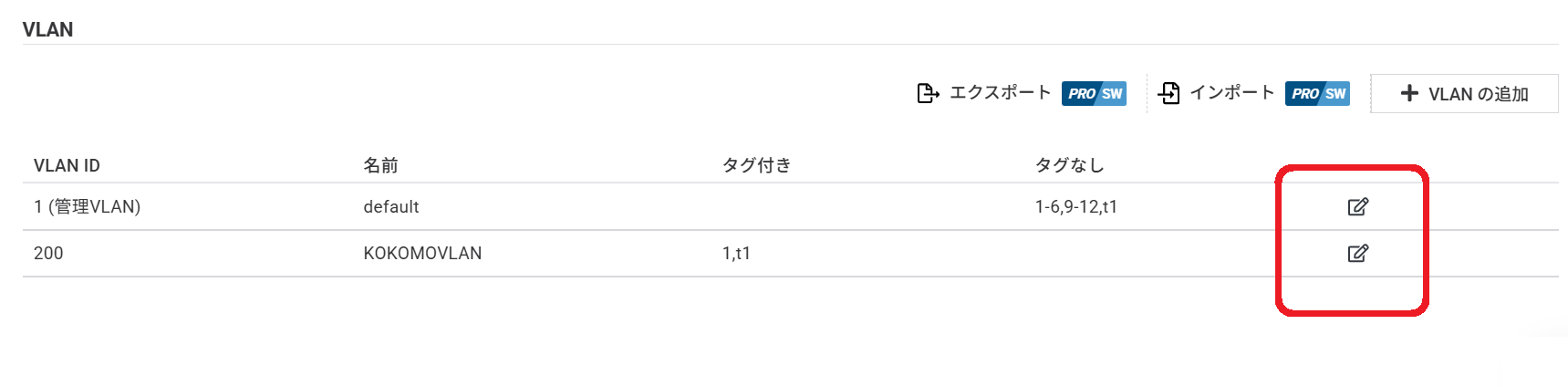
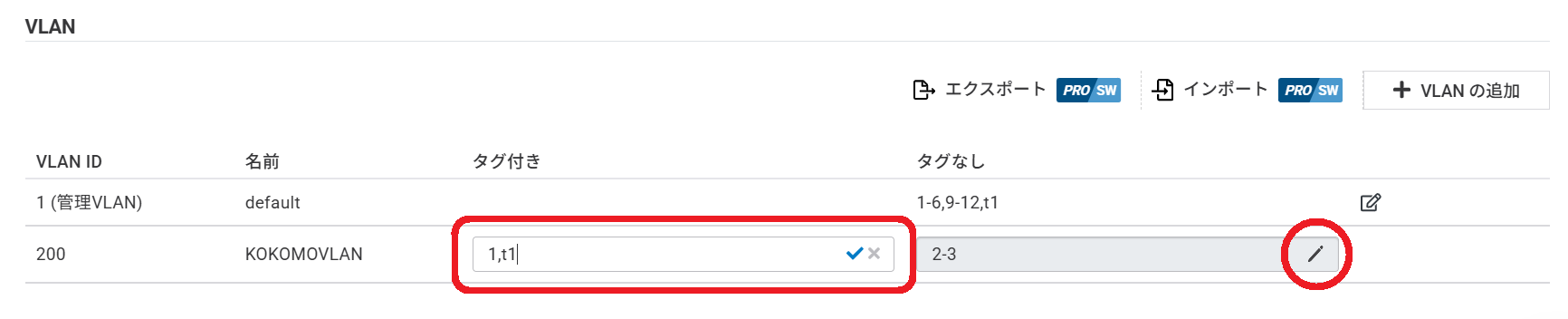
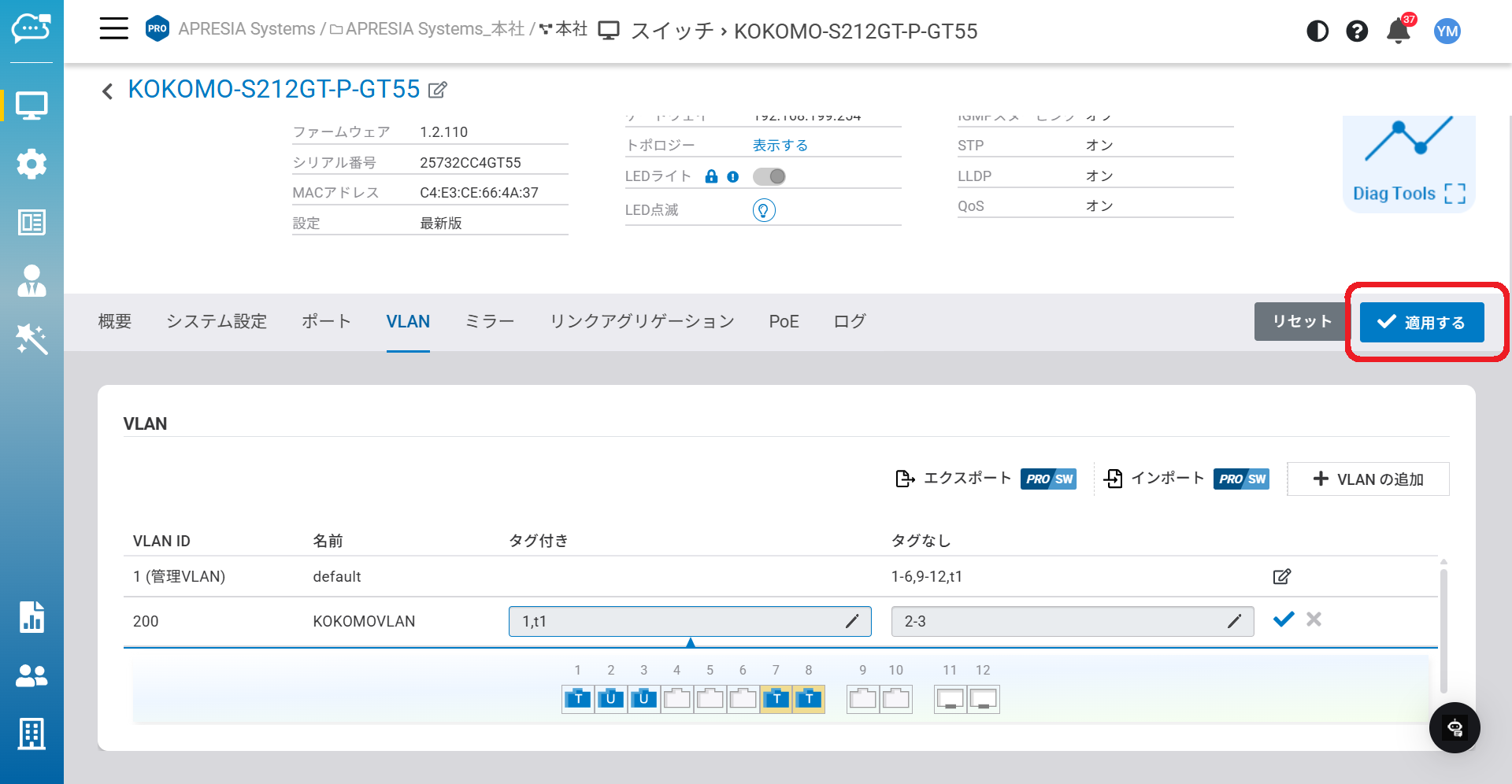
編集ボタンをクリックすると、ポート割り当てが可能です。
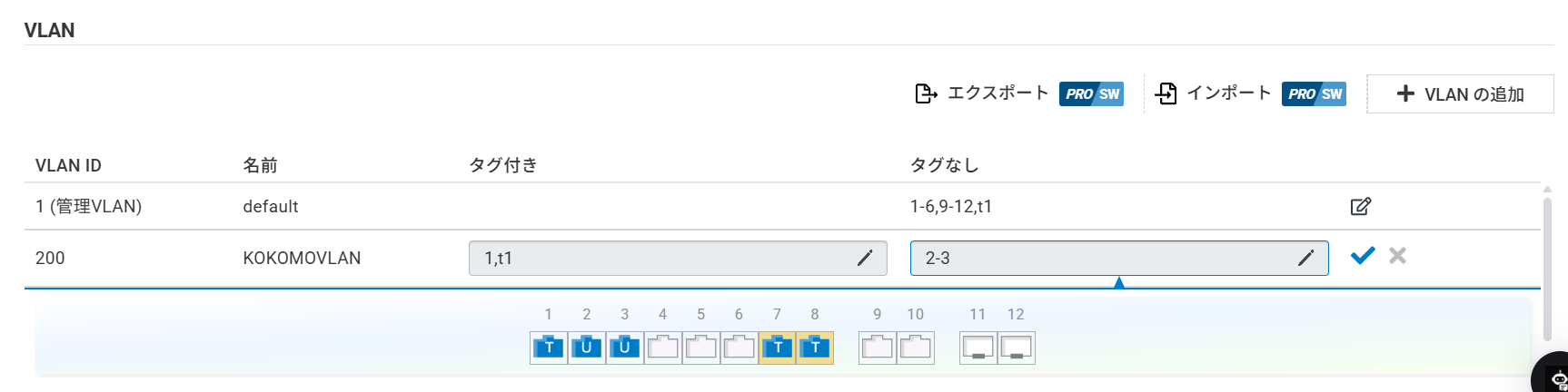
「**タグ付き**」フィールドまたは「**タグなし**」フィールドをクリックして、タグ付きポート/タグなしポートを割り当てることができます。
「T」はタグ付きデータが流れるポートを示します。
「U」はタグなしデータが流れるポートを示します。
手動入力する場合は、鉛筆アイコンをクリックしてポート番号を入力できます。
「適用」をクリックして、設定を完了しください。
{% hint style="info" %}
1 ポートあたり、最大で 4094 個 の VLAN を割り当て可能です。
{% endhint %}
## JSONファイルを使った複数VLANの一括設定
集合住宅などのネットワーク環境では、ネットワーク管理者がユニットごとにVLANを作成する必要があり、全てのネットワークスイッチで数百のVLANを設定する場合もあります。この機能を使えば、ネットワーク管理者は、各スイッチで1つずつVLANを作成する代わりに、一括でVLANを設定することが可能です。
### VLANエクスポートとインポート
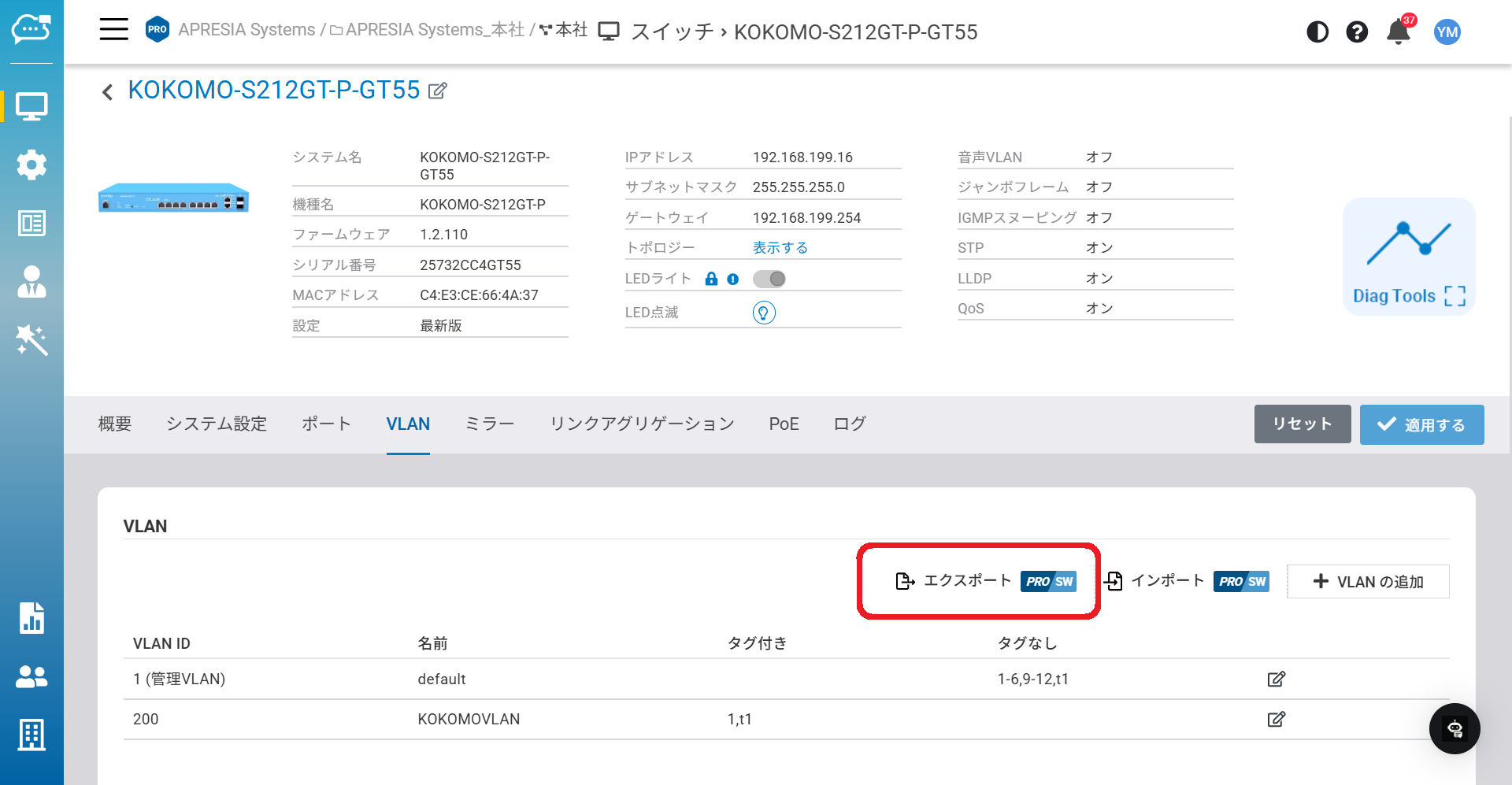
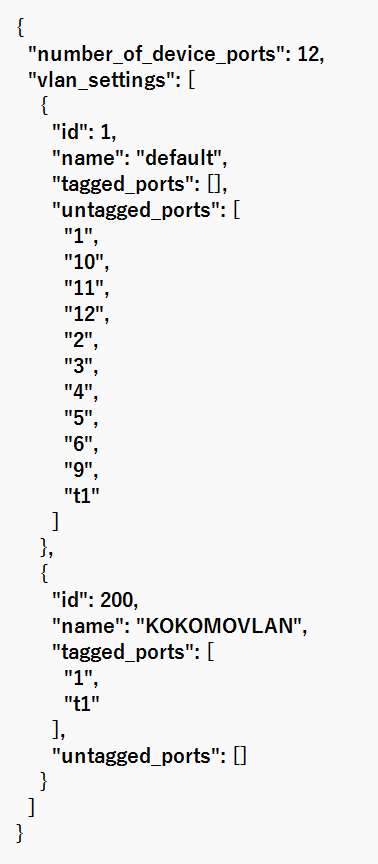
スイッチの現在のVLAN JSONファイルをエクスポートし、ローカルで編集できます。
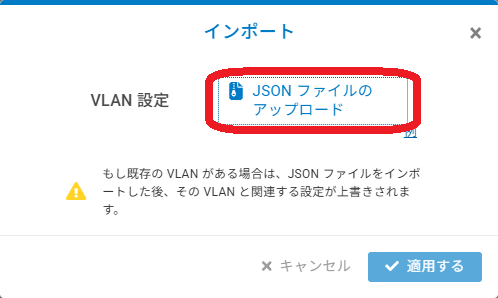
編集後、「**インポート**」>「**JSONファイルのアップロード**」をクリックしてカスタムJSONファイルをインポートします。
JSONファイルをインポートすることで、特定のスイッチに複数のVLANを手動でセットアップできます。
これにより、現在のWeb GUIで1つずつ編集する代わりに、VLAN設定を一括でインポートできます。手動でVLANを作成した場合、VLAN設定はオーバーライドされるのでご注意ください。
一回設定した後は、他のスイッチのVLAN設定ページでも同じテキストファイルをインポートできるため、作成を繰り返す時間を節約できます。
---
# Agent Instructions
This documentation is published with GitBook. GitBook is the documentation platform designed so that both humans and AI agents can read, navigate, and reason over technical content effectively. Learn more at gitbook.com.
## Querying This Documentation
If you need additional information that is not directly available in this page, you can query the documentation dynamically by asking a question.
Perform an HTTP GET request on the current page URL with the `ask` query parameter, and the optional `goal` query parameter:
```
GET https://docs.lan.kokomocloud.com/managing-devices/managing-switches/vlans.md?ask=&goal=
```
`ask` is the immediate question: it should be specific, self-contained, and written in natural language.
`goal` is optional and describes the broader end goal you are ultimately trying to accomplish on behalf of the user. GitBook uses it to tailor the answer towards what is most useful for that goal.
The response will contain a direct answer to the question and relevant excerpts and sources from the documentation.
Use this mechanism when the answer is not explicitly present in the current page, you need clarification or additional context, or you want to retrieve related documentation sections.