> For the complete documentation index, see [llms.txt](https://docs.lan.kokomocloud.com/llms.txt). Markdown versions of documentation pages are available by appending `.md` to page URLs; this page is available as [Markdown](https://docs.lan.kokomocloud.com/configuring-networks/firmware-upgrade.md).
# ファームウェアのアップグレード
ファームウェアのアップグレードはネットワーク内のスイッチ、アクセスポイントごとに行われます。各デバイス群が一括でアップグレードされるため、個別のデバイスを指定してアップグレードすることはできません。
{% hint style="warning" %}
ファームウェアのアップグレードを行う際は、すべてのデバイスが同時にアップグレードされるため、アップグレード時に一時的に通信断(全断)が発生することがあります。
{% endhint %}
## 自動アップグレード
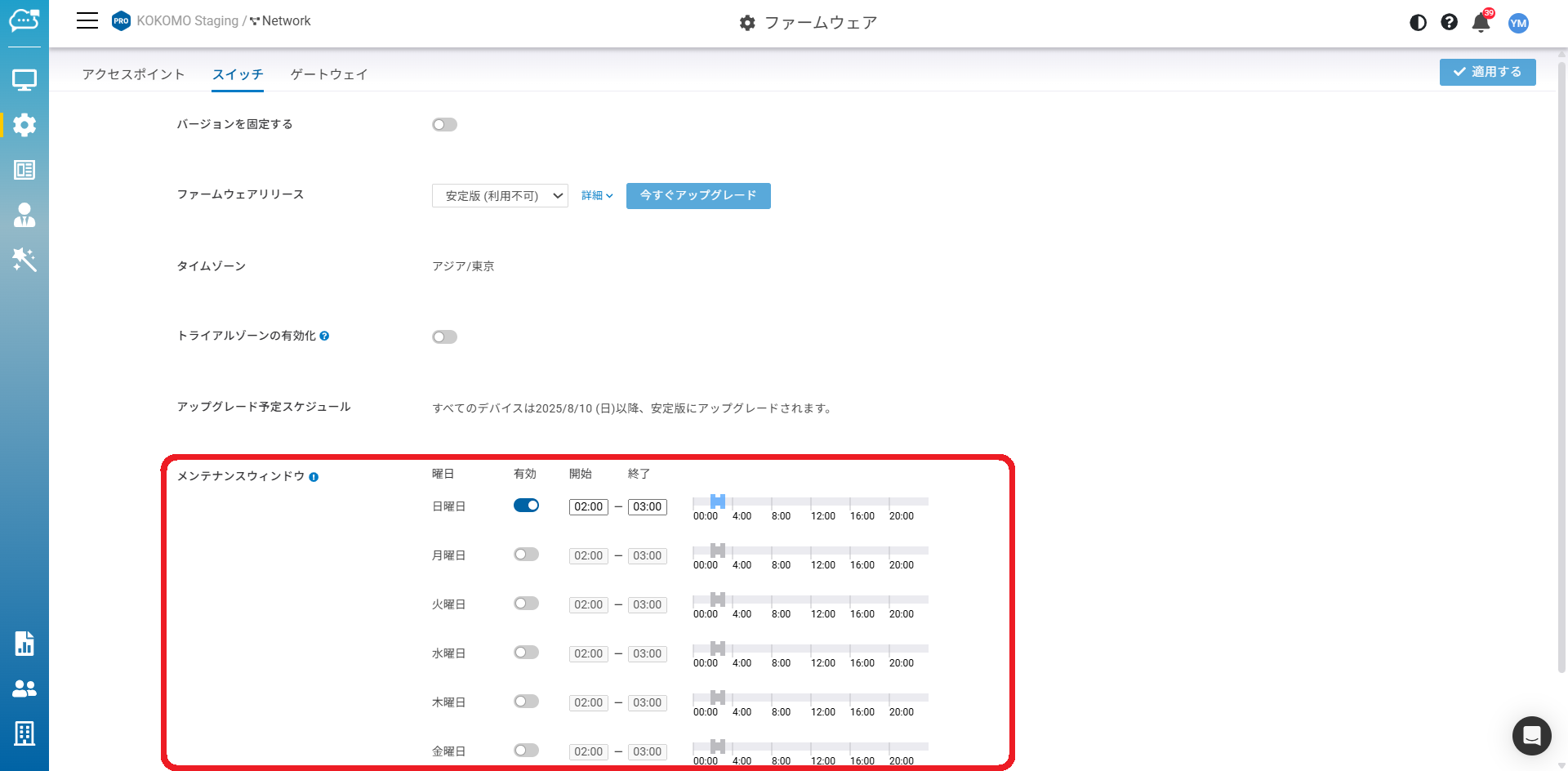
KOKOMO Cloudはデフォルトで自動アップグレードを有効にしており、毎週の「**メンテナンスウィンドウ**」の時間帯に従ってファームウェアをアップグレードします。
「**設定**」>「**ファームウェア**」をクリックしてこの画面にアクセスしてください。
{% hint style="info" %}
スイッチとアクセスポイントが同一のアップグレードスケジュールに設定されている場合でも、それぞれの機器種別のアップグレードは、そのスケジュール内で異なるタイミングで開始されます。
{% endhint %}
## 手動アップグレード
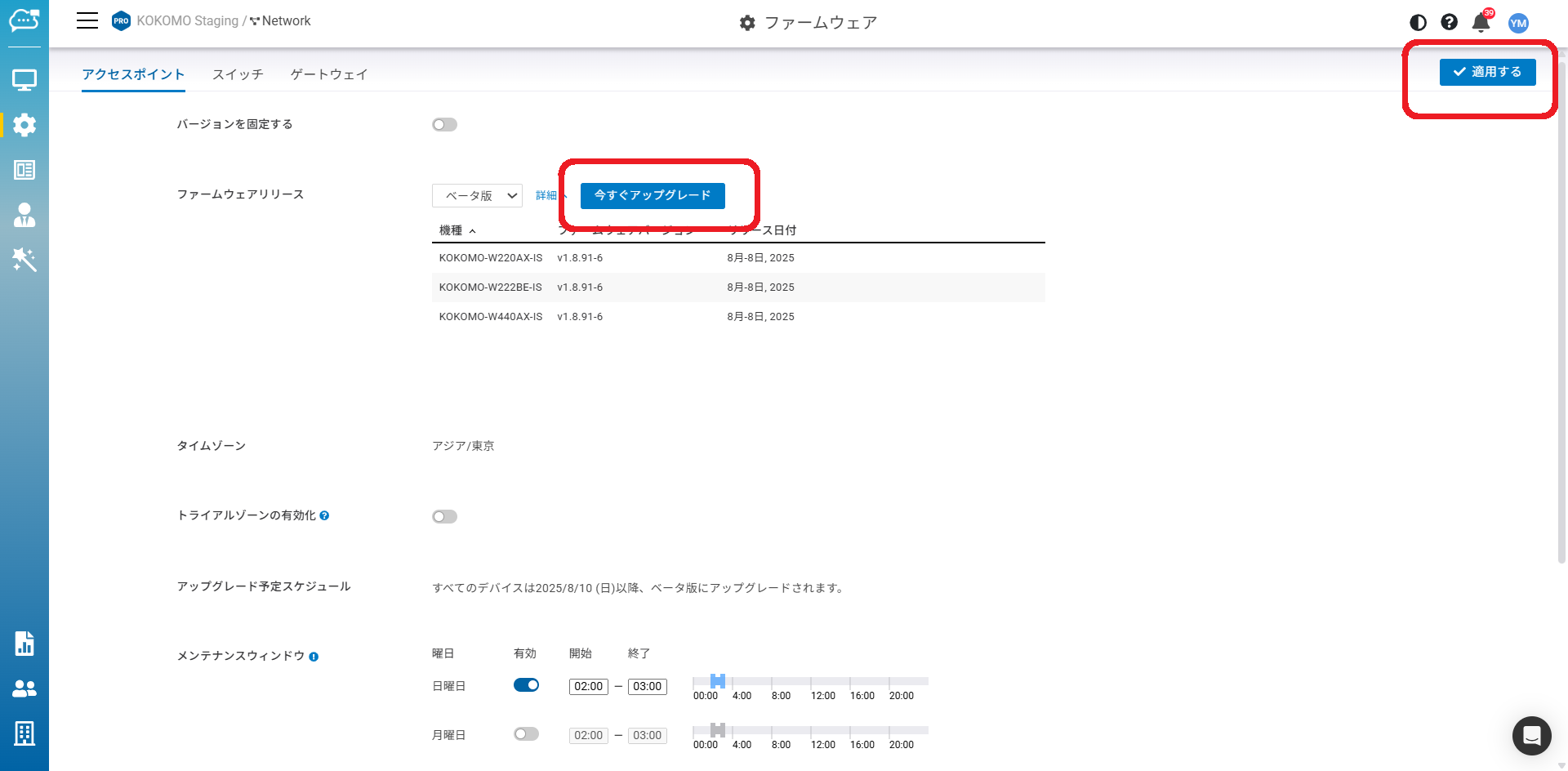
デバイスのファームウェアを手動で更新するには:
1. アップグレードしたいファームウェアを選択します。
2. 「**今すぐアップグレード**」をクリックします。
3. 「**適用する**」をクリックします。
{% hint style="danger" %}
ベータ版は未サポートです。
{% endhint %}
## ファームウェアバージョン固定
これは、安定稼働しているネットワーク上で設定やデバイスファームウェアを含め一切変更したくない場合に使用します。
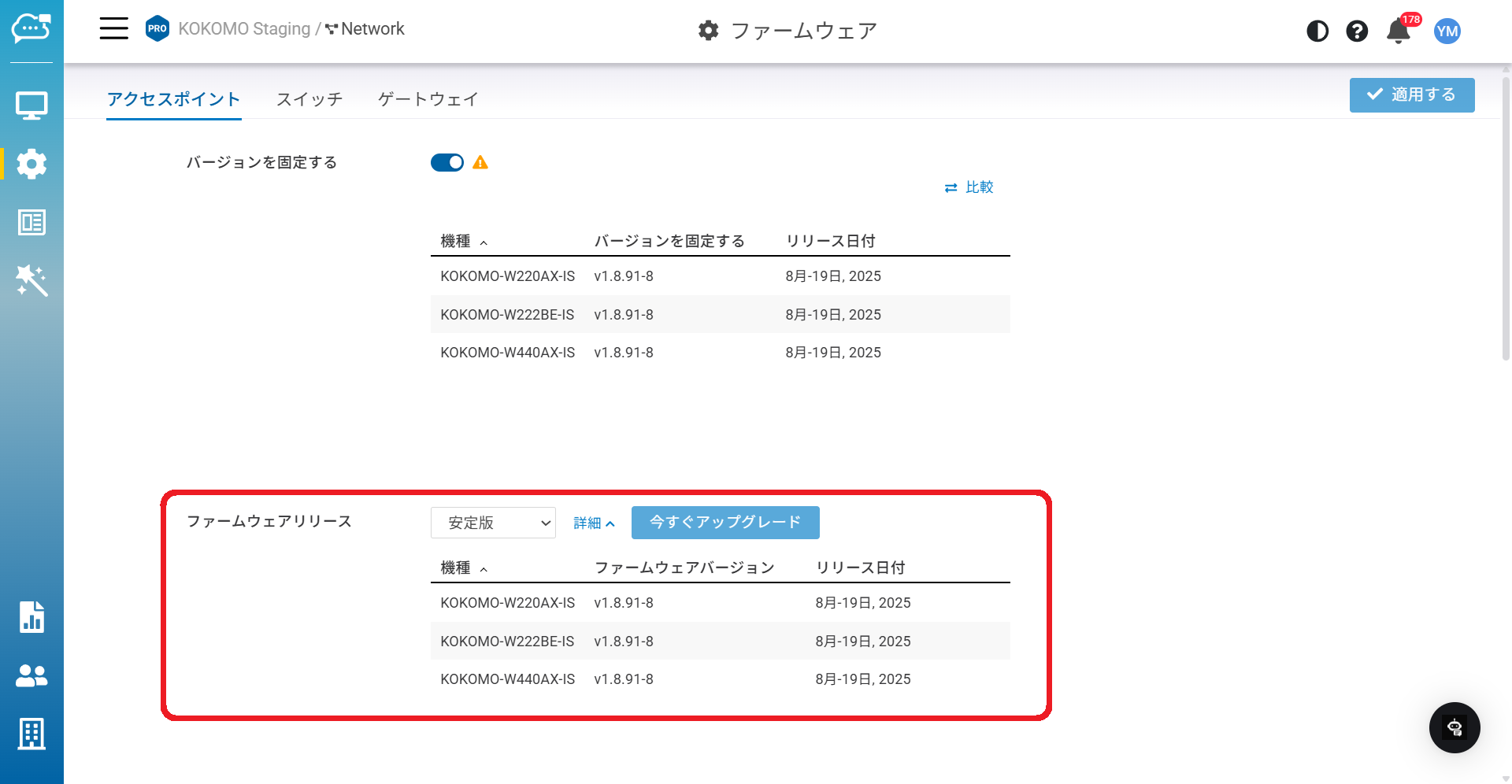
ファームウェアバージョン固定を有効にして「**適用する**」と、「**ファームウェアリリース**」のドロップダウンメニューからベータ版・安定版・前の安定版のいずれかを固定するバージョンとして選択できます。
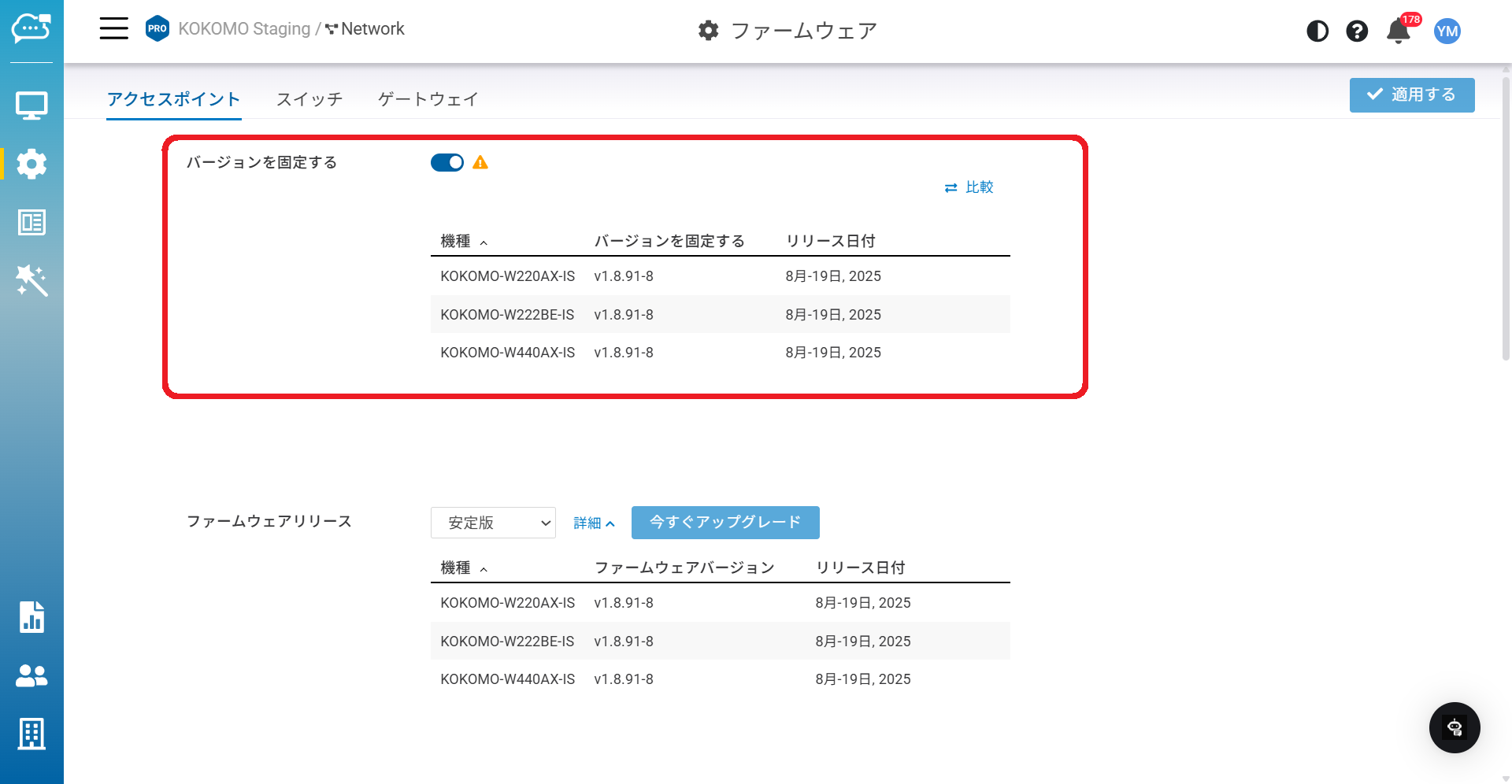
ファームウェアバージョン固定を有効にした後、ファームウェアバージョン固定のリストが表示されます。これにより、現在のネットワーク内でどのデバイスファームウェアのバージョンが固定されているかを簡単に確認できます。
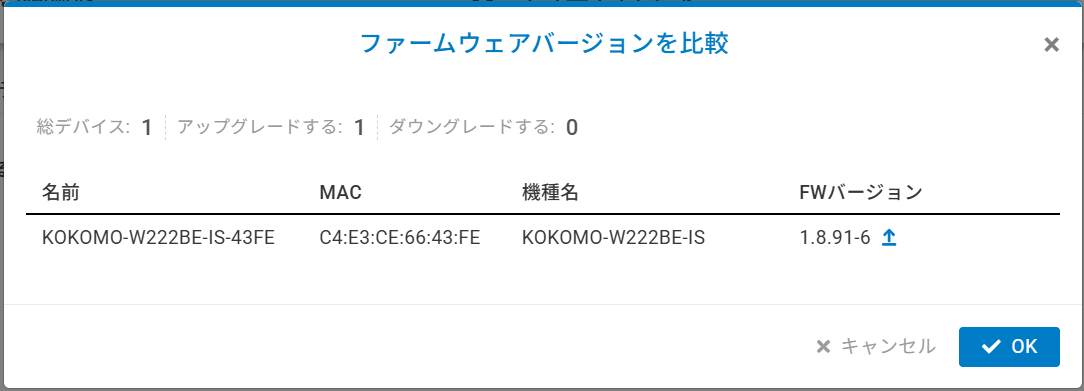
「**比較**」で、現在のネットワークデバイスのファームウェアバージョンと固定対象のファームウェアバージョンを比較できます。これにより、例えばアップグレード/ダウングレード対象のデバイスの数など、比較の概要が確認できます。
## ファームウェアバージョン固定の解除
ファームウェアバージョン固定を解除すると、ファームウェア固定リストにあるすべてのモデルが現在のファームウェアリリースおよびメンテナンスウィンドウ設定に基づきアップグレードされます。
## ファームウェアとクラウドサービスの互換性
クラウドプラットフォームは一般的に旧バージョンのデバイスファームウェアとの下位互換性があります。ただし、互換性の問題が生じた稀な場合には、機能性維持確保のため特定の措置が取られます。
* **強制オフライン**:クラウドとデバイス双方の安全・安定を守るためデバイスを強制的にオフラインにします。
* **データの取得停止**:クラウドでデバイスのチェックインデータを部分的または全体的に停止する場合があり、その際一部のグラフや統計の精度に影響します。
* **設定の適用停止**:新しい設定のデバイスへの適用を停止し、デバイスは直前の設定を維持したまま動作します。
## アップグレード予定のスケジュール
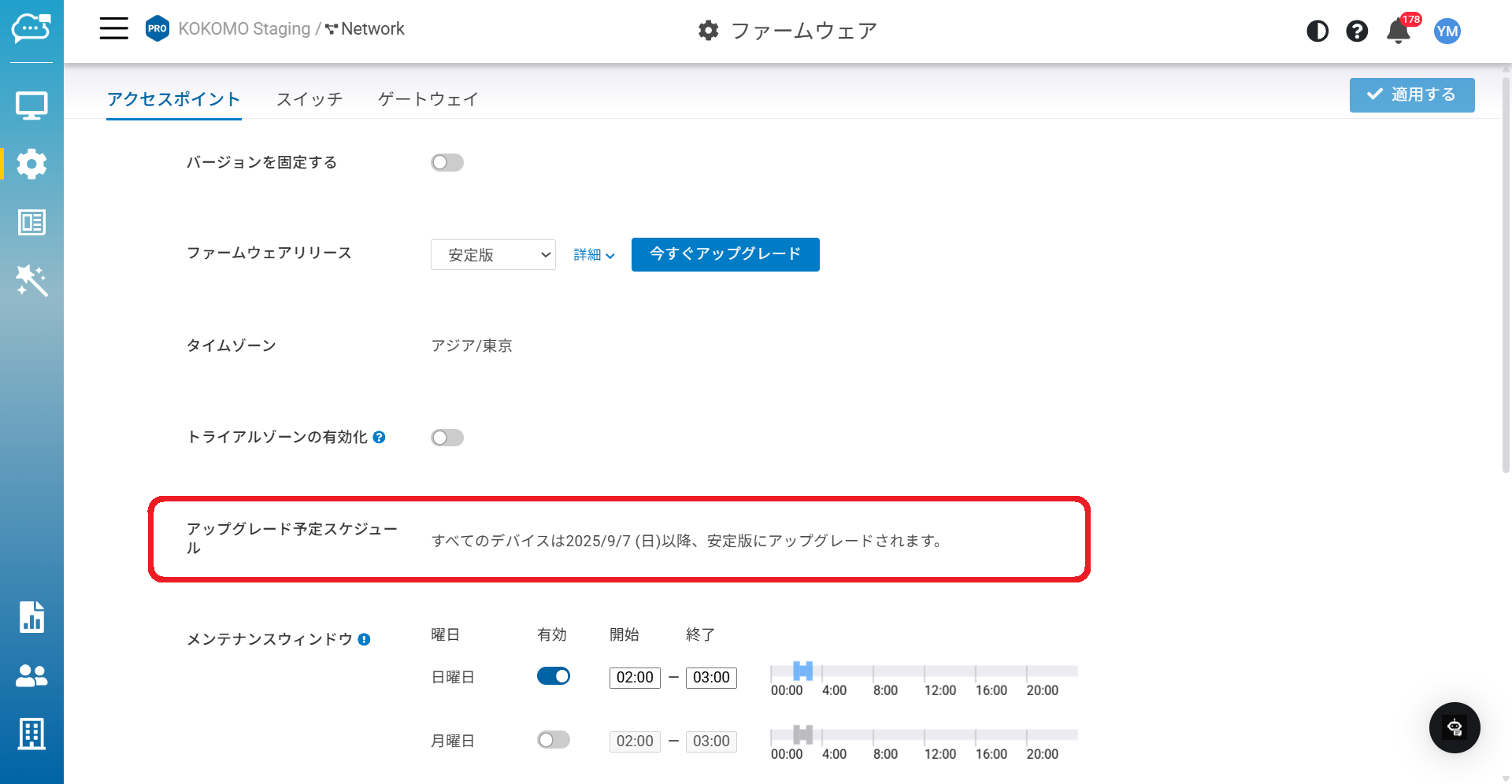
デバイスの正確なファームウェアアップグレード予定日を把握できます。そのため、次に何が起こるのかを容易に知ることができます。
---
# Agent Instructions
This documentation is published with GitBook. GitBook is the documentation platform designed so that both humans and AI agents can read, navigate, and reason over technical content effectively. Learn more at gitbook.com.
## Querying This Documentation
If you need additional information that is not directly available in this page, you can query the documentation dynamically by asking a question.
Perform an HTTP GET request on the current page URL with the `ask` query parameter, and the optional `goal` query parameter:
```
GET https://docs.lan.kokomocloud.com/configuring-networks/firmware-upgrade.md?ask=&goal=
```
`ask` is the immediate question: it should be specific, self-contained, and written in natural language.
`goal` is optional and describes the broader end goal you are ultimately trying to accomplish on behalf of the user. GitBook uses it to tailor the answer towards what is most useful for that goal.
The response will contain a direct answer to the question and relevant excerpts and sources from the documentation.
Use this mechanism when the answer is not explicitly present in the current page, you need clarification or additional context, or you want to retrieve related documentation sections.