> For the complete documentation index, see [llms.txt](https://docs.lan.kokomocloud.com/llms.txt). Markdown versions of documentation pages are available by appending `.md` to page URLs; this page is available as [Markdown](https://docs.lan.kokomocloud.com/configuring-networks/configuring-switch/templates.md).
# テンプレート
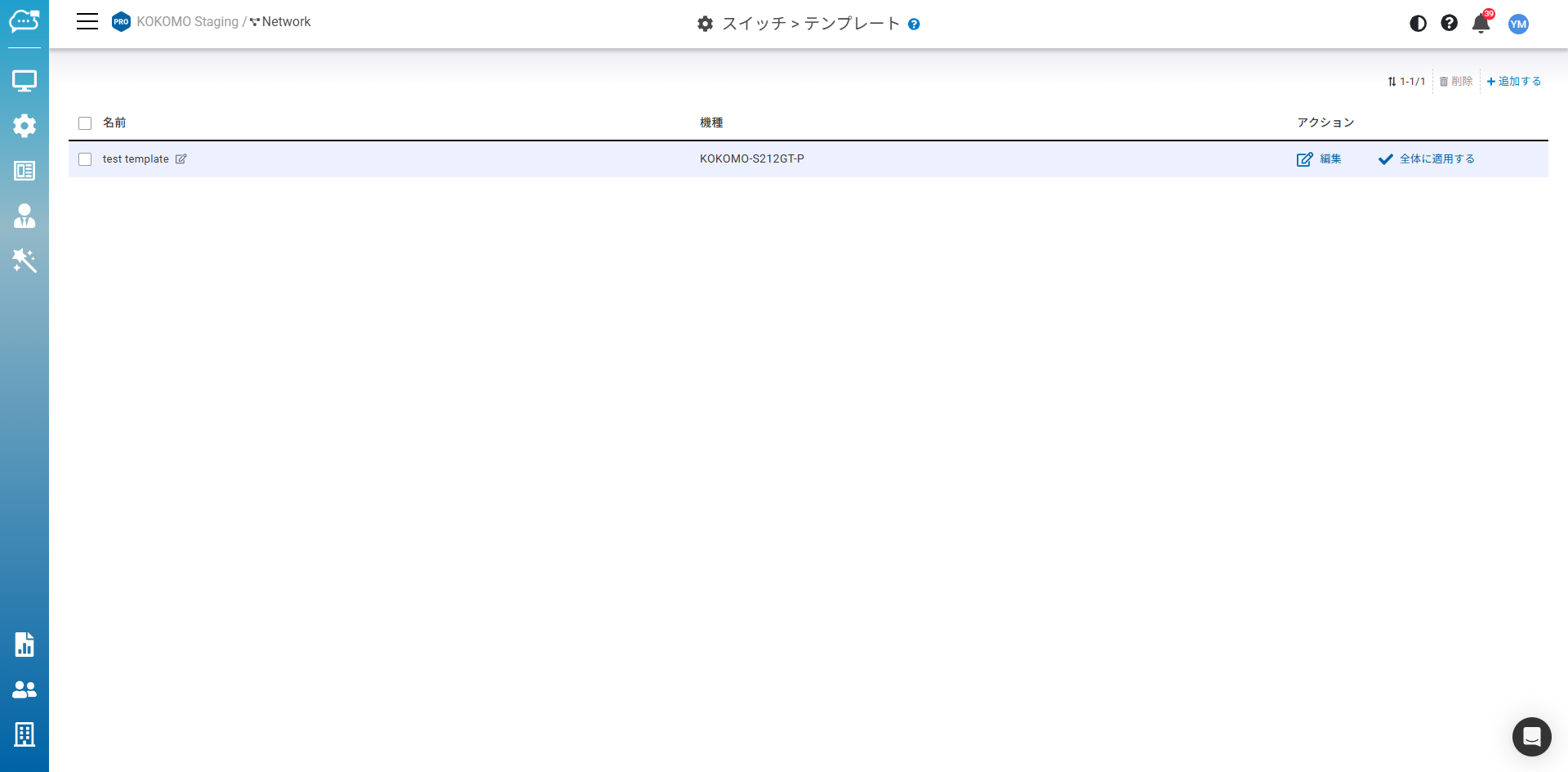
スイッチテンプレート機能を利用すると、ユーザーはネットワーク内で同一モデルの全スイッチに同じポート設定を適用できるため、1台ずつ設定する時間を節約できます。
「**設定**」>「**スイッチ**」>「**テンプレート**」でこの画面にアクセスできます。
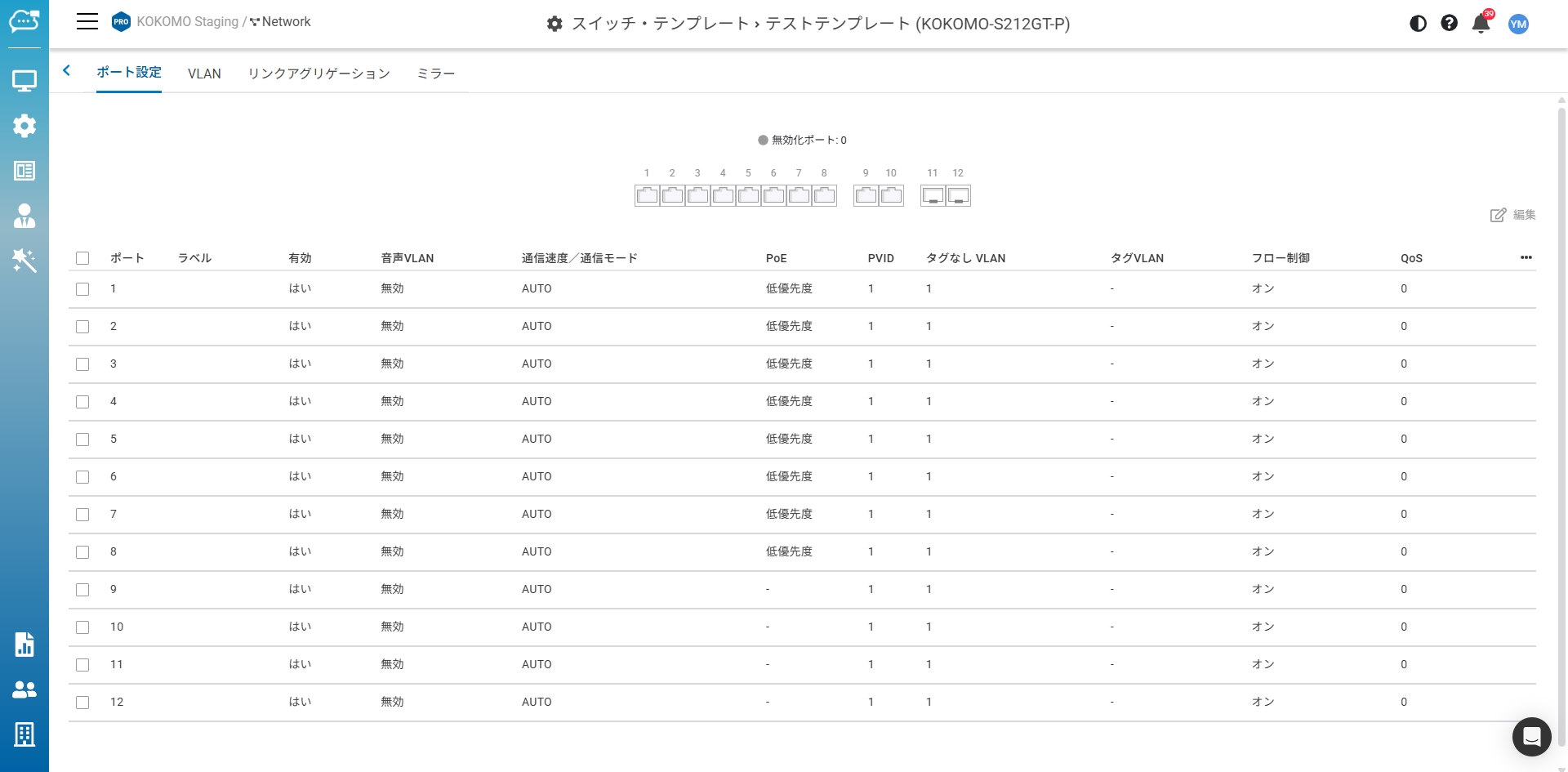
モデルごとに任意のテンプレートを作成し、テンプレートの「**編集**」をクリックして詳細を設定できます。設定内容はスイッチ詳細ページの設定と同様です。
* 「**全体に適用する**」により、ネットワーク内で同一モデルの全デバイスにスイッチテンプレートが適用されます。
{% hint style="info" %}
**注意**
* アップリンクポートは接続喪失を防ぐため、テンプレートで上書きされません。
* アップリンクポートはミラーリングの送信先ポートに設定できません。
* デバイス上でポートにPoEスケジュールが設定されている場合、そのポートではPoEを有効にしてください。
* 既に設定済みのスイッチから直接テンプレートを自動生成する機能はありません。
{% endhint %}
## VLAN
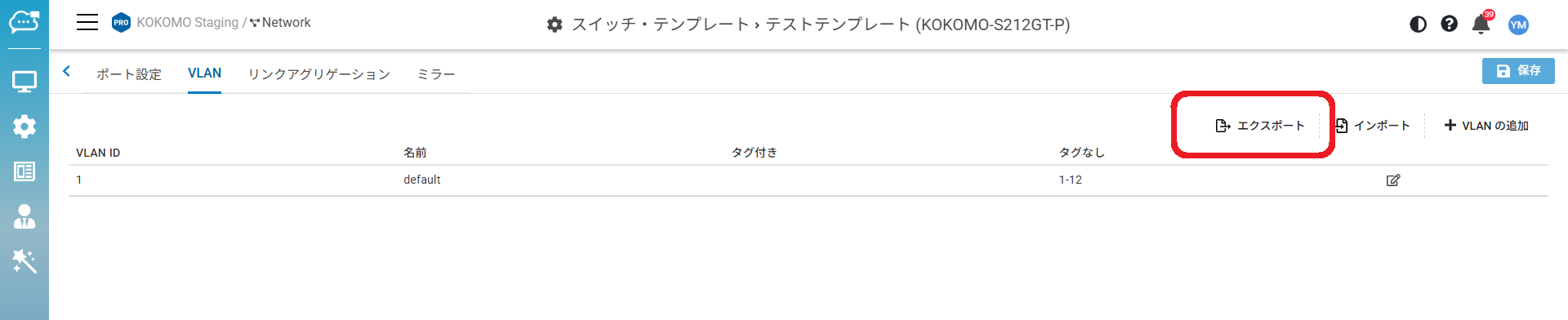
ホスピタリティ業界などのネットワーク環境では、ネットワーク管理者が同一モデルのスイッチを購入し、スイッチテンプレートを作成してVLAN設定をインポートすることで、例えばポート1はTV用としてVLAN1、ポート2はIP電話用としてVLAN10、その他のポートはVLAN11~50、といった具合に、同一のポート機能を定義します。同一モデルのすべてのスイッチに適用されるので、1台ずつスイッチを設定する手間が省けます。
### VLANエクスポート
現在のVLAN JSONファイルをエクスポートし、ローカルで編集できます。
### VLANインポート
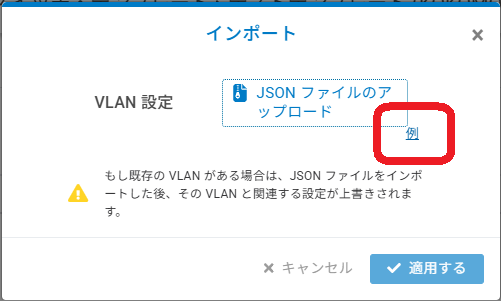
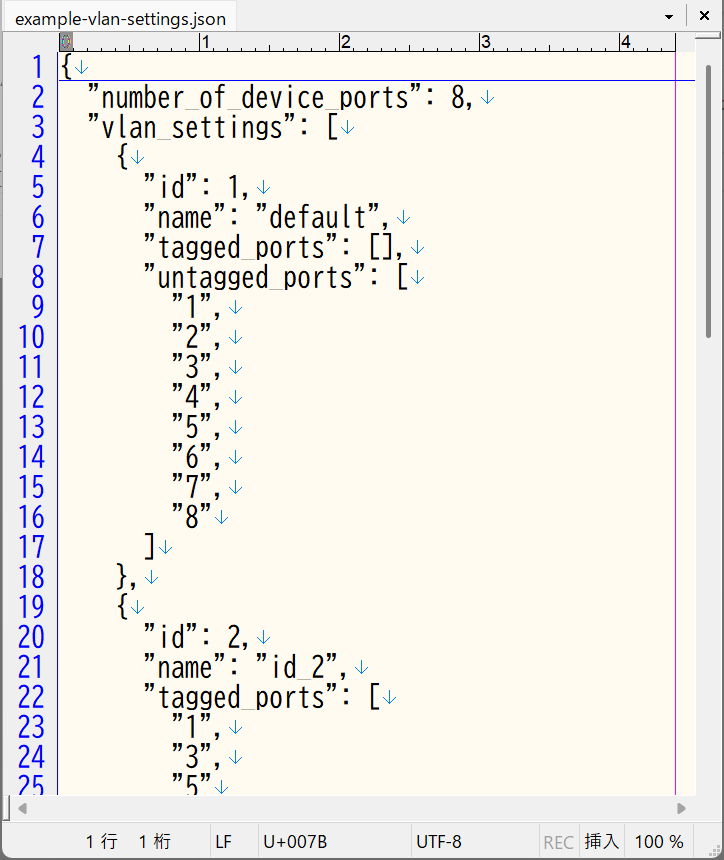
「**例**」のハイパーリンクをクリックしてJSONファイルをダウンロードします。
そして、VLAN設定をローカルで編集します。
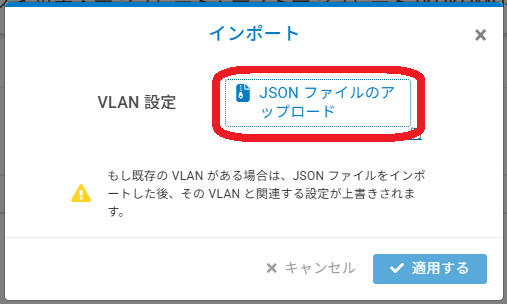
編集後、「JSONファイルをアップロード」をクリックしてカスタムJSONファイルをインポートします。
これにより、現在のWeb GUIで1つずつ編集する代わりに、VLAN設定を一括でインポートできます。
## スイッチリストで個別にテンプレート適用
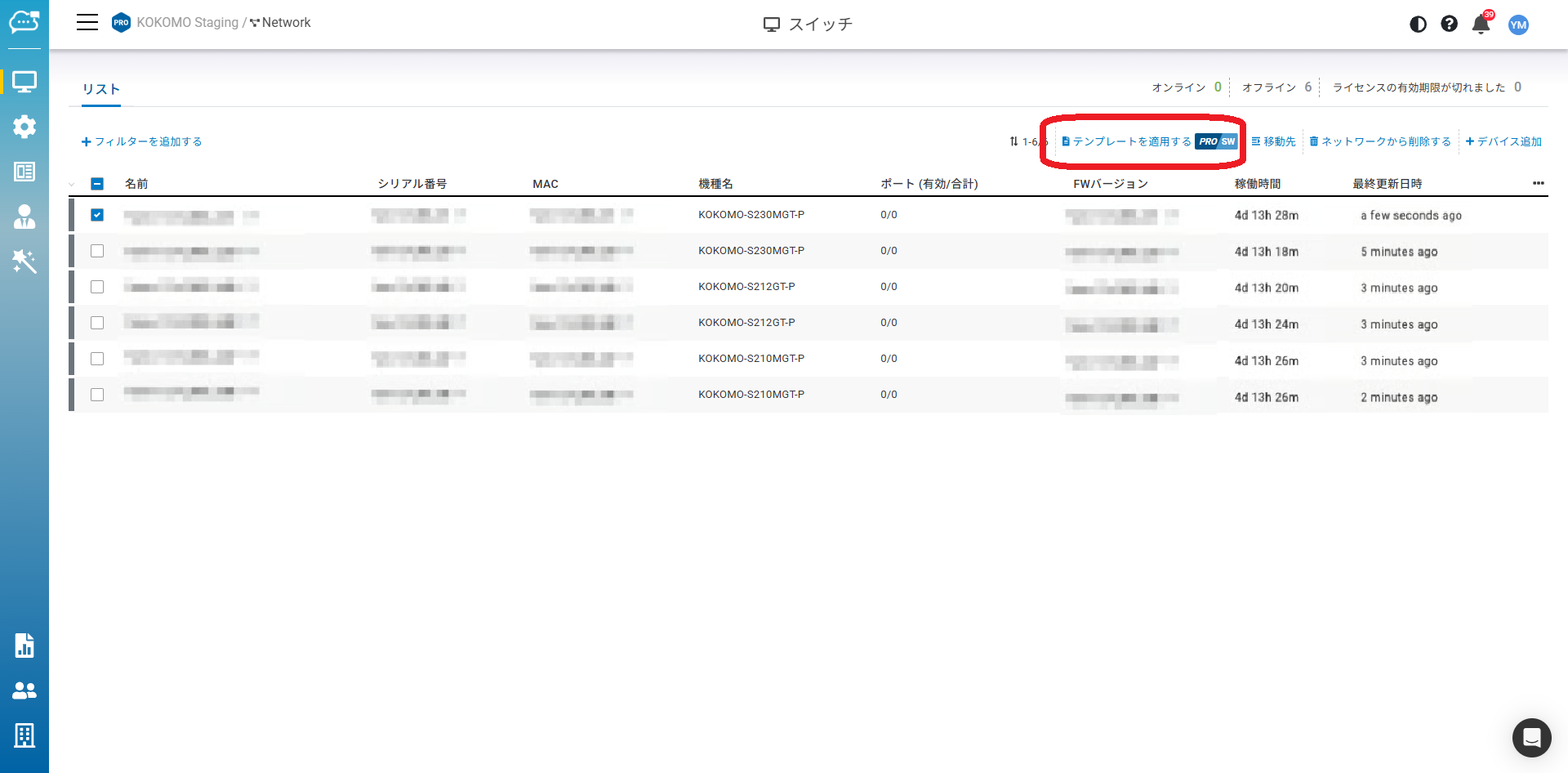
スイッチテンプレートをモデルが同一のスイッチに適用するには、「**管理**」>「**スイッチ**」から適用対象のスイッチを選択し、「**テンプレートを適用する**」を選択します。
---
# Agent Instructions
This documentation is published with GitBook. GitBook is the documentation platform designed so that both humans and AI agents can read, navigate, and reason over technical content effectively. Learn more at gitbook.com.
## Querying This Documentation
If you need additional information that is not directly available in this page, you can query the documentation dynamically by asking a question.
Perform an HTTP GET request on the current page URL with the `ask` query parameter, and the optional `goal` query parameter:
```
GET https://docs.lan.kokomocloud.com/configuring-networks/configuring-switch/templates.md?ask=&goal=
```
`ask` is the immediate question: it should be specific, self-contained, and written in natural language.
`goal` is optional and describes the broader end goal you are ultimately trying to accomplish on behalf of the user. GitBook uses it to tailor the answer towards what is most useful for that goal.
The response will contain a direct answer to the question and relevant excerpts and sources from the documentation.
Use this mechanism when the answer is not explicitly present in the current page, you need clarification or additional context, or you want to retrieve related documentation sections.