> For the complete documentation index, see [llms.txt](https://docs.lan.kokomocloud.com/llms.txt). Markdown versions of documentation pages are available by appending `.md` to page URLs; this page is available as [Markdown](https://docs.lan.kokomocloud.com/configuring-networks/cloud-user.md).
# クラウドユーザー
クラウドユーザー画面では、KOKOMO Cloud RADIUSで認証されるユーザーアカウントの作成・閲覧・管理ができます。
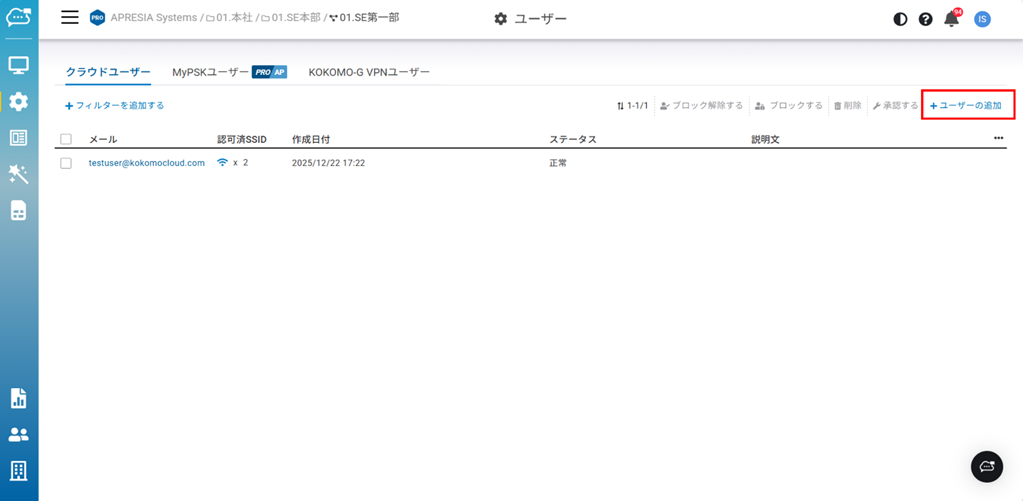
クラウドユーザーを作成するには「**設定**」>「**ユーザー**」>「**クラウドユーザー**」画面を表示し、「**ユーザーの追加**」をクリックします。
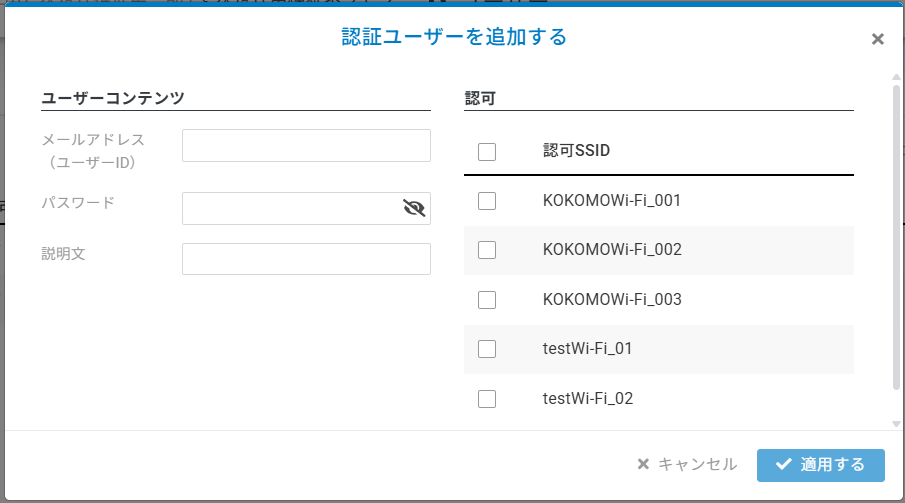
「**認証ユーザーを追加する**」ウィンドウで以下の項目を入力します。入力が完了したら「**適用する**」をクリックします。
**■ユーザーコンテンツ**
* **メールアドレス(ユーザーID)** :認証を許可するクライアントのメールアドレスを入力します。
* **パスワード** :任意のパスワードを入力します。
* **説明文** :説明文を入力します。(任意)
**■認可**
* **SSID認証** :クライアントを認証するSSIDにチェックを入れます。
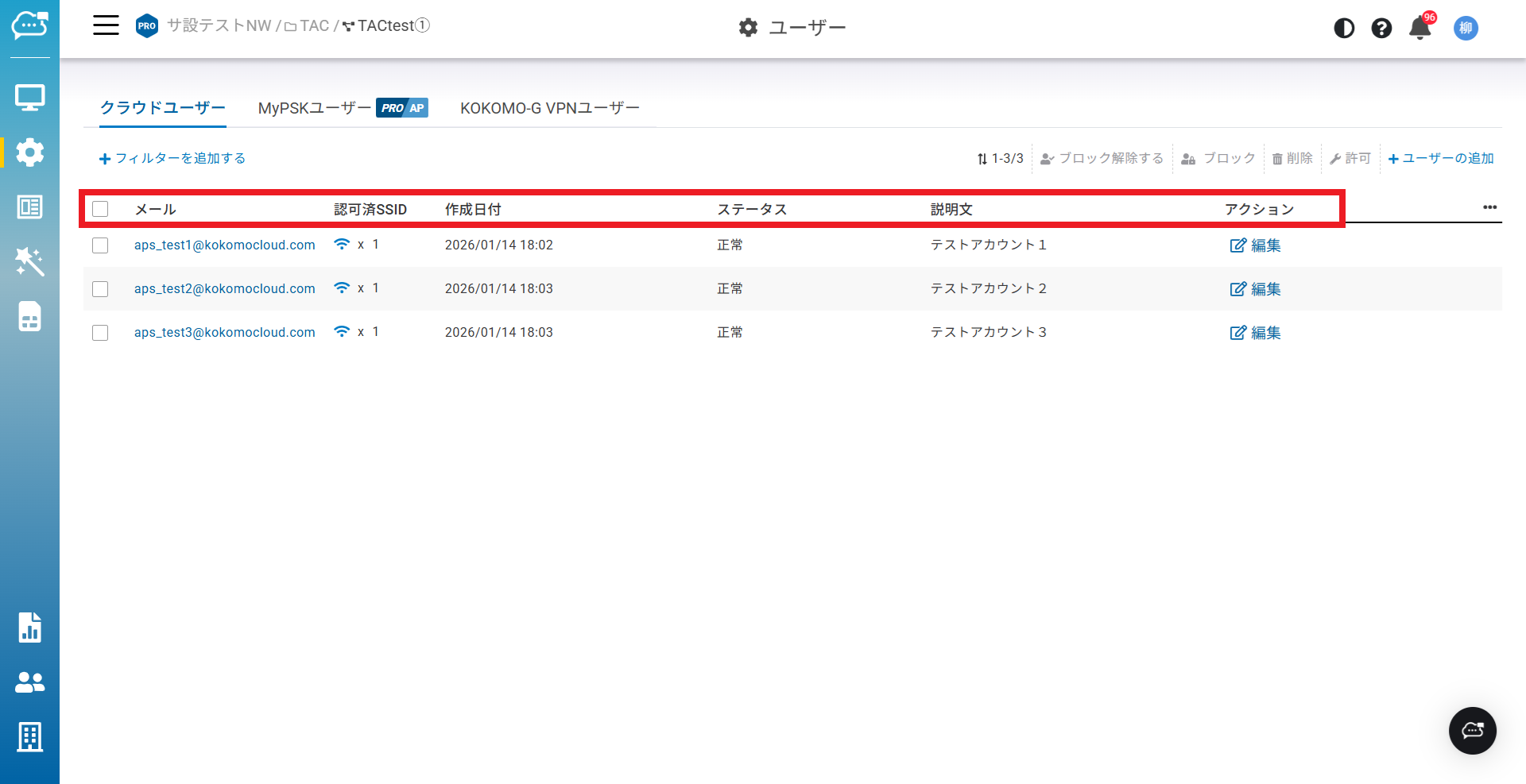
クラウドユーザーのリストに表示されるラベルの説明です。
* **メール**:ユーザーアカウントのメールアドレスを表示します。
* **認可済SSID**:ユーザーが認可したSSID名を表示します。
* **作成日付**:ユーザーが作成された日時を表示します。
* **ステータス**:ユーザーがブロックされているかどうかを表示します。
* **説明文**:作成時に入力した説明文を表示します。
* **アクション(編集)**:作成したユーザーを編集できます。
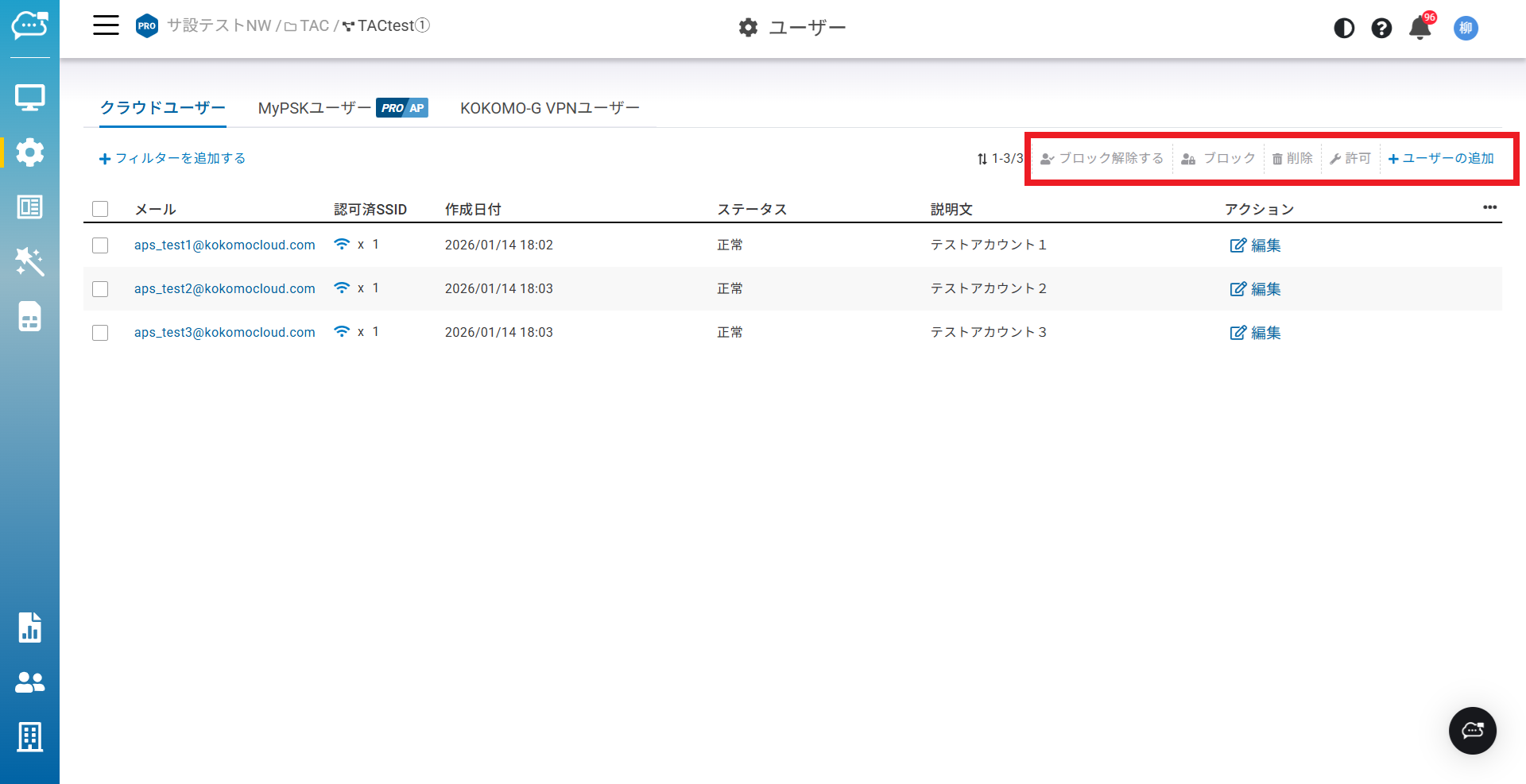
以下はクラウドユーザーのリストに表示される機能の説明です。
* **ブロック解除する**:ユーザーのブロックを解除します。
* **ブロック**:ユーザーをブロックします。
* **削除**:ユーザーを削除します。
* **許可**:SSIDへユーザーを認可できます。
* **ユーザーの追加**:ユーザーを追加し、SSIDへの接続を認可します。
{% hint style="info" %}
クラウドRADIUSユーザーとバウチャーユーザーの合計が 1 組織あたり 10,000件 に制限されます。
{% endhint %}
---
# Agent Instructions
This documentation is published with GitBook. GitBook is the documentation platform designed so that both humans and AI agents can read, navigate, and reason over technical content effectively. Learn more at gitbook.com.
## Querying This Documentation
If you need additional information that is not directly available in this page, you can query the documentation dynamically by asking a question.
Perform an HTTP GET request on the current page URL with the `ask` query parameter, and the optional `goal` query parameter:
```
GET https://docs.lan.kokomocloud.com/configuring-networks/cloud-user.md?ask=&goal=
```
`ask` is the immediate question: it should be specific, self-contained, and written in natural language.
`goal` is optional and describes the broader end goal you are ultimately trying to accomplish on behalf of the user. GitBook uses it to tailor the answer towards what is most useful for that goal.
The response will contain a direct answer to the question and relevant excerpts and sources from the documentation.
Use this mechanism when the answer is not explicitly present in the current page, you need clarification or additional context, or you want to retrieve related documentation sections.