> For the complete documentation index, see [llms.txt](https://docs.lan.kokomocloud.com/llms.txt). Markdown versions of documentation pages are available by appending `.md` to page URLs; this page is available as [Markdown](https://docs.lan.kokomocloud.com/working-with-org-trees/networks.md).
# ネットワーク
ネットワークは、1つのダッシュボードを形成する管理単位です。フロアごとや建物ごとなど、どのように管理したいかによって、その最小単位をネットワークに設定します。
SSIDや無線設定、ファームウェアアップグレードなどはネットワークごとに設定します。これらについて異なる設定が必要な場合は、別のネットワークを作成してください。
## ネットワークの追加
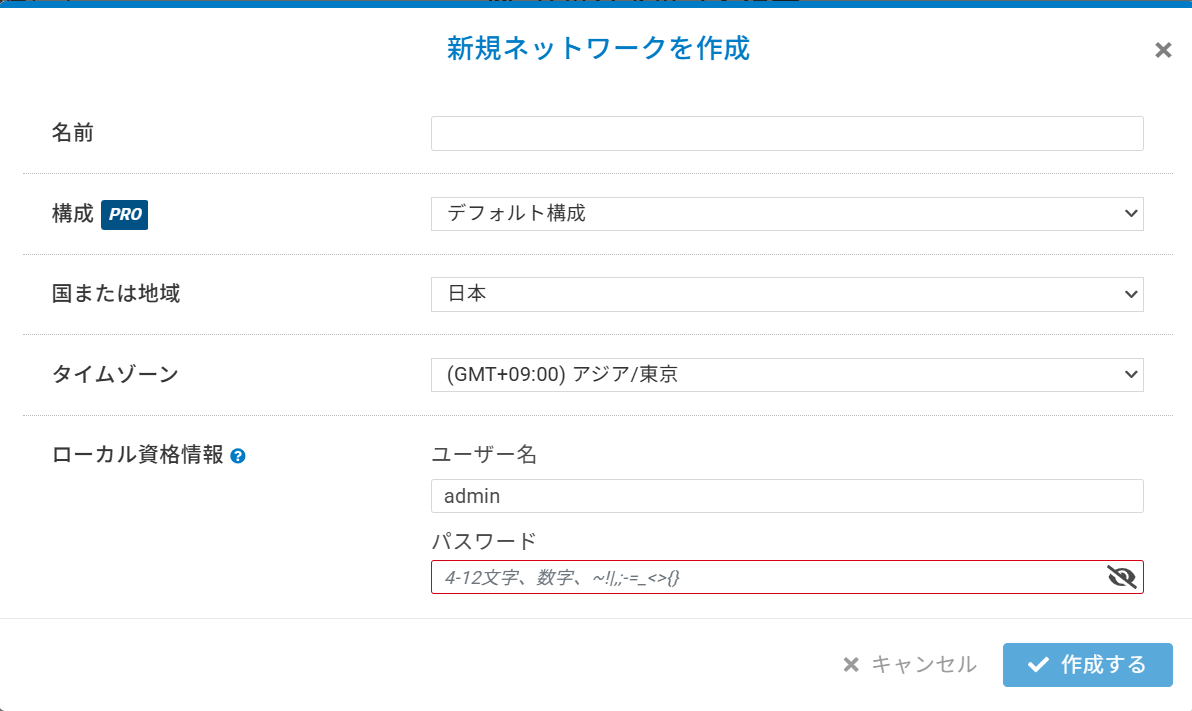
1. 「**メニュー**」から組織または階層ビューを選択し、「**ネットワークを追加する**」をクリックします。
2. ネットワーク名を入力し、国とタイムゾーンを選択して、「**作成する**」をクリックします。バックアップもしくはNWテンプレートからクローンする場合は構成のプルダウンメニューから選択してください。
{% hint style="warning" %}
組織内の合計ネットワーク数が500を超える場合、クラウド上で予期しない応答遅延や問題が発生することがあります。
{% endhint %}
## ネットワークの編集
ネットワーク名、国、タイムゾーンは必要に応じて編集できます。ネットワークを編集する手順は以下の通りです。
1. ネットワークを選択して、「**編集**」をクリックします。
2. ネットワーク名を編集し「**適用する**」をクリックします。
## ネットワークの削除
作成したネットワークが不要になった場合は、削除できます。
ネットワークを削除する手順は以下の通りです。
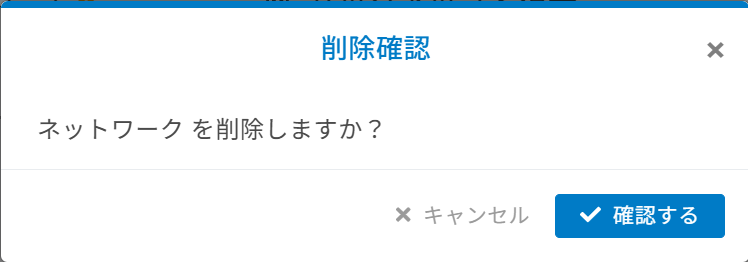
1. 「**メニュー**」からネットワークを選択し、「**削除**」をクリックします。
2. ポップアップが表示されたら「**確認する**」をクリックします。
{% hint style="info" %}
ネットワークにデバイスが割り当てられていると、ネットワークの削除はできません。
{% endhint %}
---
# Agent Instructions
This documentation is published with GitBook. GitBook is the documentation platform designed so that both humans and AI agents can read, navigate, and reason over technical content effectively. Learn more at gitbook.com.
## Querying This Documentation
If you need additional information that is not directly available in this page, you can query the documentation dynamically by asking a question.
Perform an HTTP GET request on the current page URL with the `ask` query parameter, and the optional `goal` query parameter:
```
GET https://docs.lan.kokomocloud.com/working-with-org-trees/networks.md?ask=&goal=
```
`ask` is the immediate question: it should be specific, self-contained, and written in natural language.
`goal` is optional and describes the broader end goal you are ultimately trying to accomplish on behalf of the user. GitBook uses it to tailor the answer towards what is most useful for that goal.
The response will contain a direct answer to the question and relevant excerpts and sources from the documentation.
Use this mechanism when the answer is not explicitly present in the current page, you need clarification or additional context, or you want to retrieve related documentation sections.