> For the complete documentation index, see [llms.txt](https://docs.lan.kokomocloud.com/llms.txt). Markdown versions of documentation pages are available by appending `.md` to page URLs; this page is available as [Markdown](https://docs.lan.kokomocloud.com/security/radsec-certificate.md).
# RadSec 証明書
デフォルトでは、RADIUSはRADIUSクライアントとサーバー間で送信されるユーザー認証情報やその他の機密情報を暗号化しません。これにより、認証プロセスが盗聴攻撃に対して脆弱になり、攻撃者がMITM(中間者)攻撃を実行してトラフィックを傍受し、ユーザー情報を取得する可能性があります。これは、RADIUSサーバーがリモートサイトに設置されている場合にさらに重要になります。
RadSec(RADIUS over TLS)は、RADIUSの一般的な暗号化方法です。これにより、RADIUSサーバーとアクセスポイントの間でセキュアなTLSトンネルを介して、RADIUS認証、認可、アカウンティングメッセージを交換できます。
## 設定方法
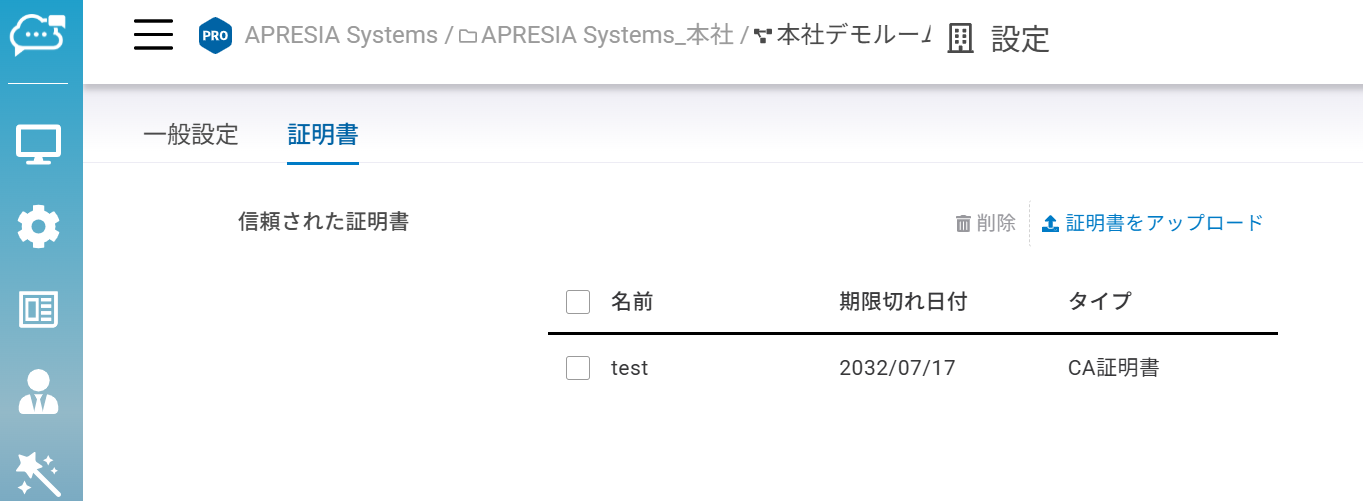
1. 「**組織**」>「**設定**」>「**証明書**」で、RADIUSサーバーから取得したRadSec証明書をアップロードします。
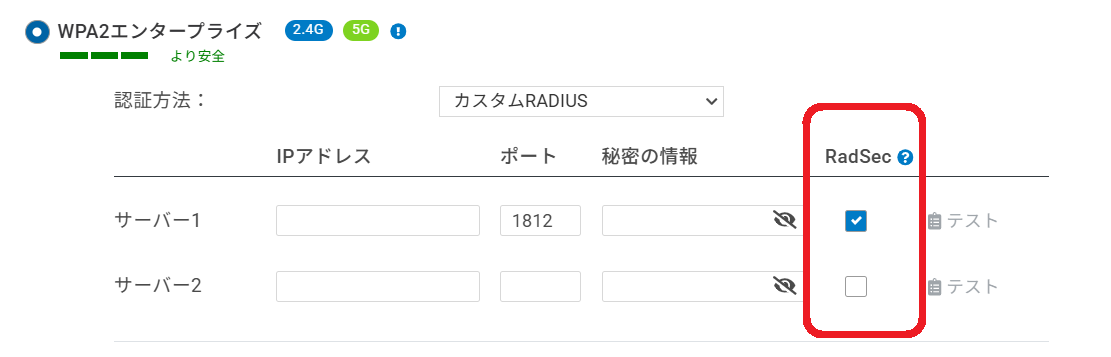
2. アクセスポイントでRadSec機能を有効にします。このオプションは、WPA2/3エンタープライズおよびキャプティブポータルの両方のアクセスで対応しています。RadSec機能を有効にするには、以下のページに移動します。
* 「**設定**」>「**アクセスポイント**」>「**SSID**」>(SSID選択)>「**基本設定**」>「**セキュリティタイプ**」>「**WPA2/3エンタープライズ**」>「**カスタムRADIUS**」
* 「**設定**」>「**アクセスポイント**」>「**SSID**」>(SSID選択)>「**キャプティブポータル**」>「**カスタムRADIUS**」
RadSec機能を有効にすると、アクセスポイントは組織のプールから利用可能な証明書を自動的に検索し、RADIUSサーバーと関連付けます。
## テスト
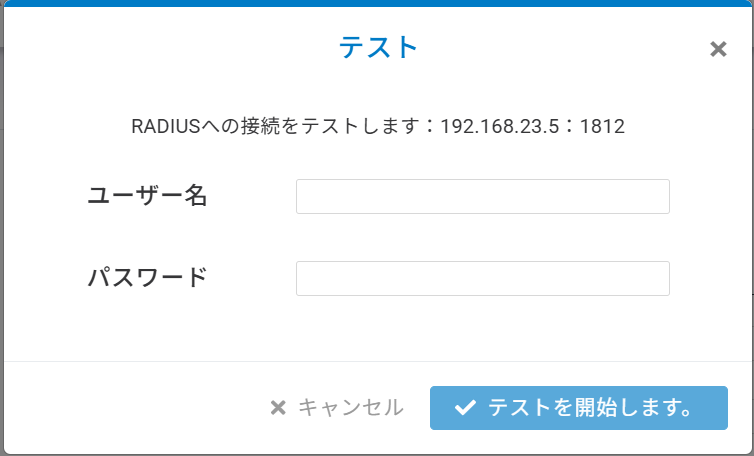
テスト機能は、RADIUSの設定が正しいことを確認するためのものです。アクセスポイントはIP:ポートとシークレットを使用してRADIUSサーバーへの接続を試みます。
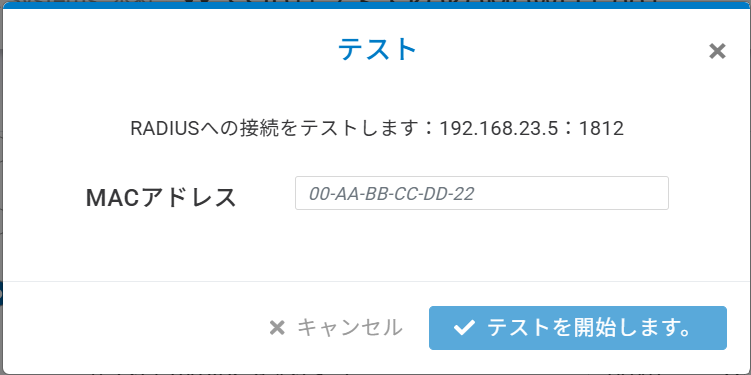
「**キャプティブポータル**」>「**カスタムRADIUS**」> 「**RADIUS MAC-Auth**」が有効になっている場合、テストには認証されたMACが必要です。
{% hint style="warning" %}
注意
RadSecの機能を利用するためには、RadSec証明書を追加する必要があります。
{% endhint %}
---
# Agent Instructions
This documentation is published with GitBook. GitBook is the documentation platform designed so that both humans and AI agents can read, navigate, and reason over technical content effectively. Learn more at gitbook.com.
## Querying This Documentation
If you need additional information that is not directly available in this page, you can query the documentation dynamically by asking a question.
Perform an HTTP GET request on the current page URL with the `ask` query parameter, and the optional `goal` query parameter:
```
GET https://docs.lan.kokomocloud.com/security/radsec-certificate.md?ask=&goal=
```
`ask` is the immediate question: it should be specific, self-contained, and written in natural language.
`goal` is optional and describes the broader end goal you are ultimately trying to accomplish on behalf of the user. GitBook uses it to tailor the answer towards what is most useful for that goal.
The response will contain a direct answer to the question and relevant excerpts and sources from the documentation.
Use this mechanism when the answer is not explicitly present in the current page, you need clarification or additional context, or you want to retrieve related documentation sections.