> For the complete documentation index, see [llms.txt](https://docs.lan.kokomocloud.com/llms.txt). Markdown versions of documentation pages are available by appending `.md` to page URLs; this page is available as [Markdown](https://docs.lan.kokomocloud.com/notification-and-alerts/notification-center.md).
# 通知センター
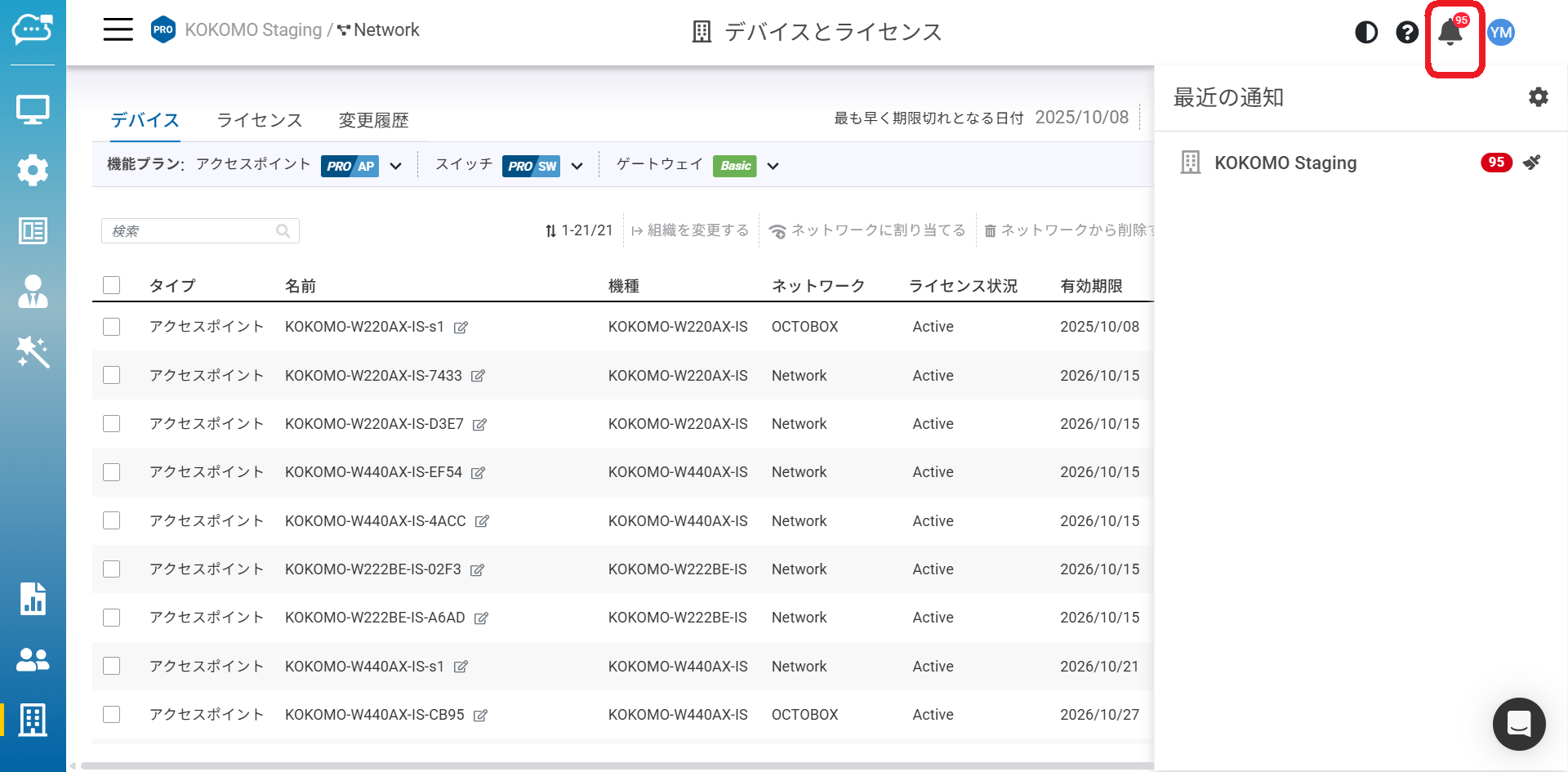
KOKOMO Cloudは、発生した重要なイベントを警告する通知の仕組みを提供しています。ベルのアイコンをクリックすると、この画面にアクセスできます。
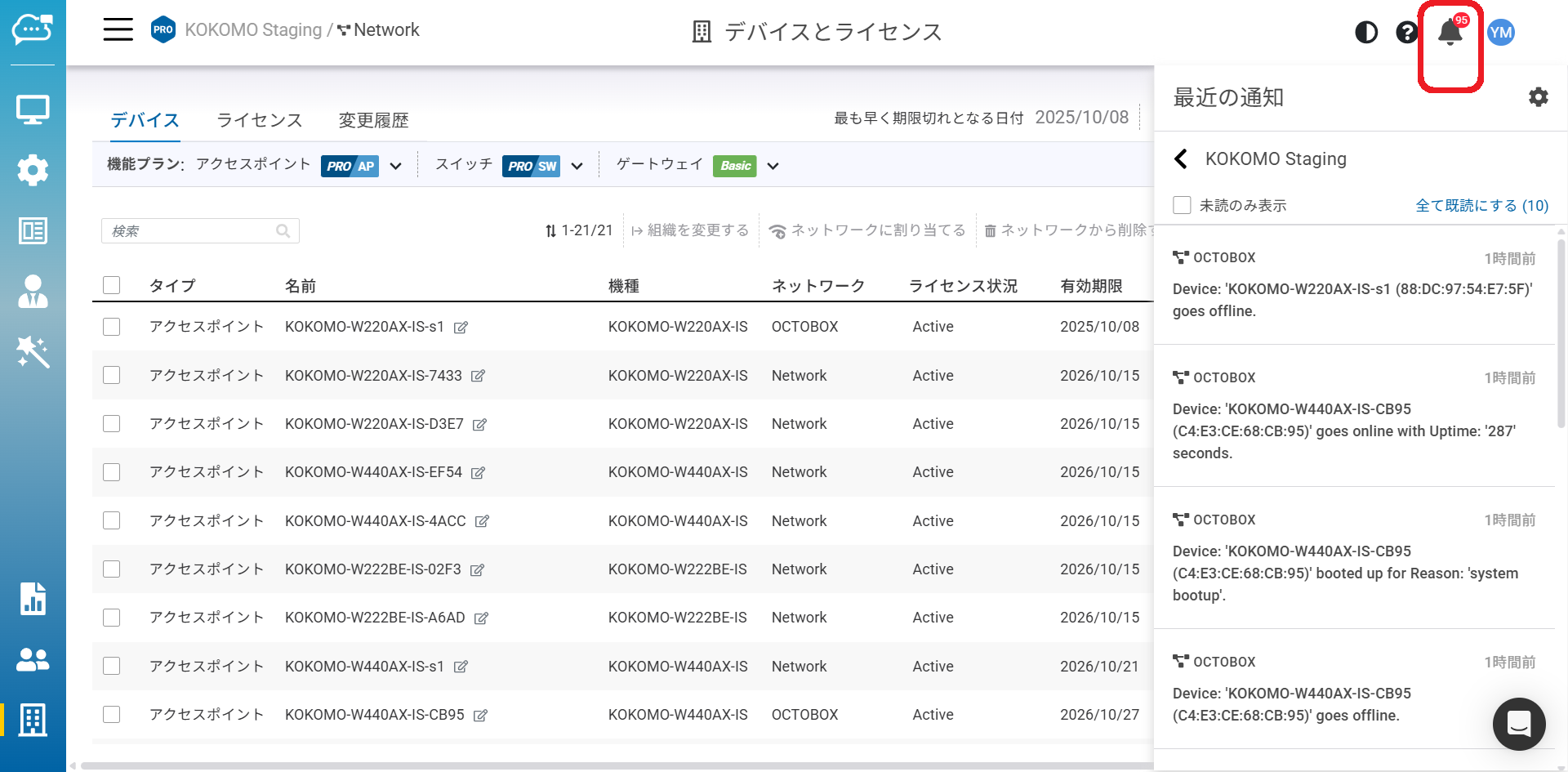
## 最近の通知
組織別に並べられたイベント数を表示します。リスト内の組織の1つをクリックすると、詳細なイベント情報にアクセスできます。
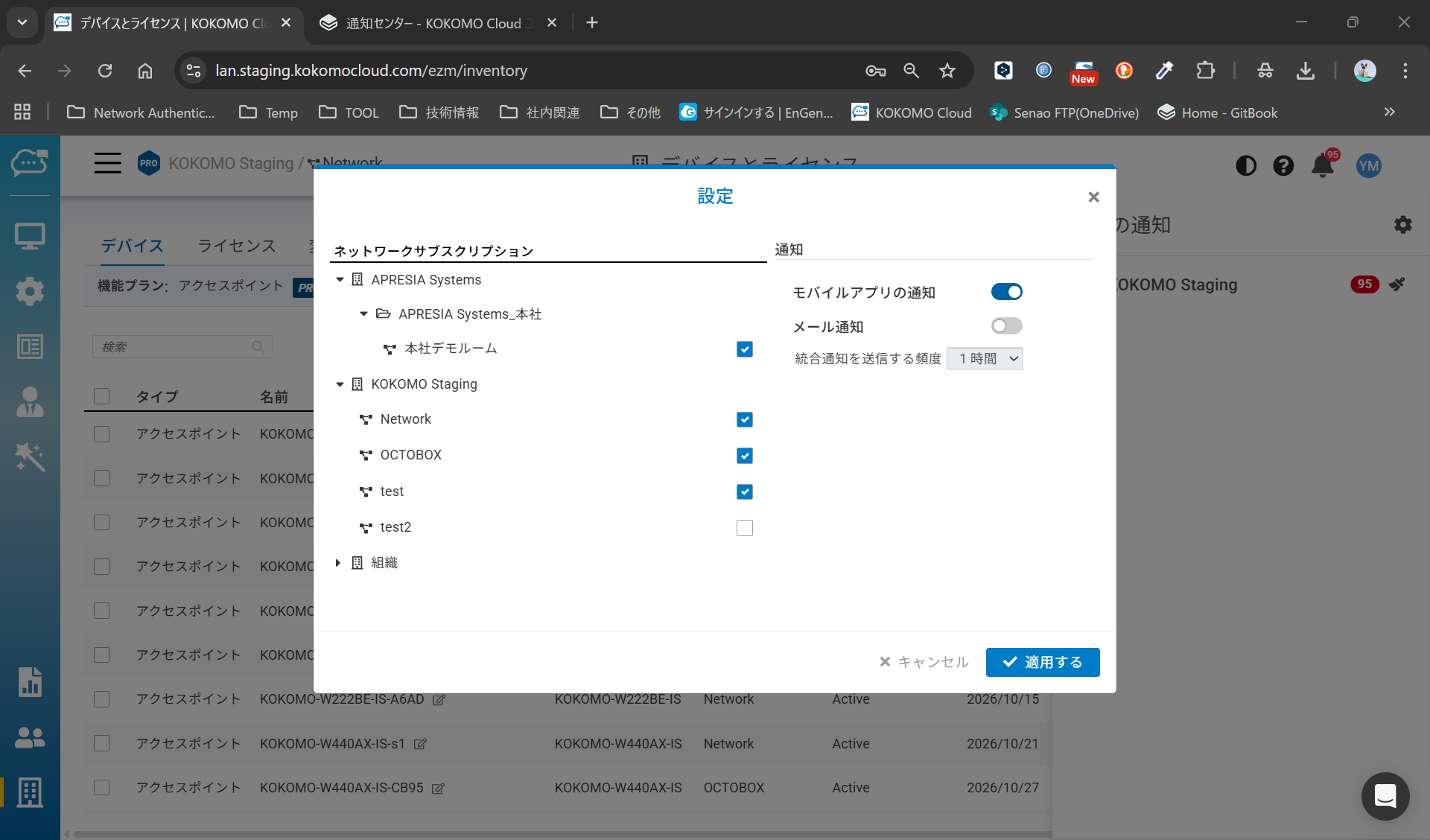
## 環境設定
### ネットワークサブスクリプション
ネットワークイベントのサブスクライブまたはサブスクライブ解除を行うことができます。サブスクライブすると、そのネットワークの通知を受け取ります。
### 通知
**モバイルアプリの通知**:KOKOMO Cloudのモバイルアプリでの通知をオン/オフできます。
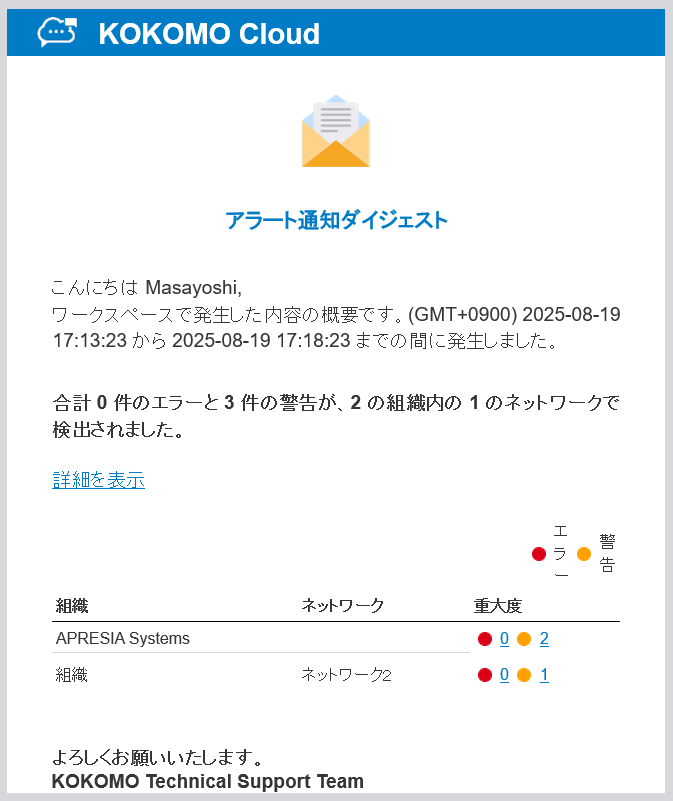
**メール通知**:少なくとも1つのイベントが発生した場合、スケジュールされた時刻にネットワークイベントのメールダイジェストを受信します。
{% hint style="info" %}
モバイルアプリの通知
モバイルアプリでは、設定変更やネットワークの構成が変わったときにリアルタイムで通知を行います。\
また、通知されるのは重大度レベルが「Error」または「Warning」のイベントログのみになります。
{% endhint %}
### メール形式
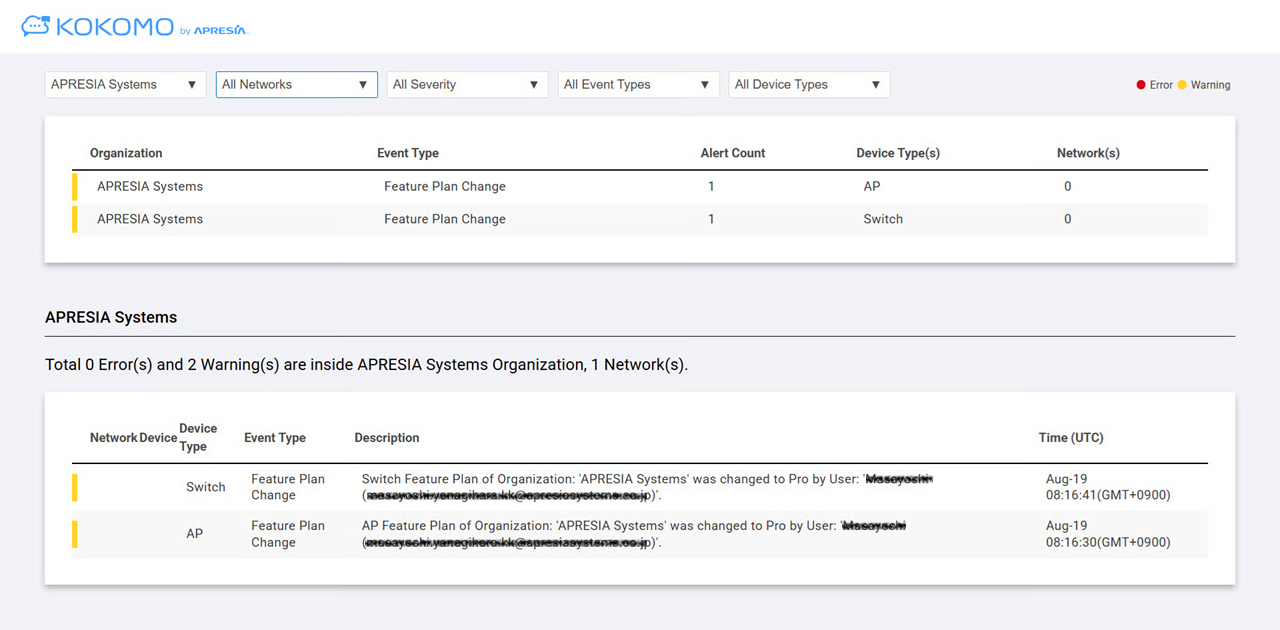
「メール通知」を有効にすると、以下のようなHTMLメール形式で受信します。
「詳細を表示」をクリックすると、ネットワークイベントが表示されます。各カードは個々の組織を表し、カード内の各仕切りは異なるネットワークを表します。
**イベントのフィルタリング**:ページ上部でイベントのフィルタリングが可能です。エラーと警告のイベントの横にあるチェックボックスをオン/オフできます。
---
# Agent Instructions
This documentation is published with GitBook. GitBook is the documentation platform designed so that both humans and AI agents can read, navigate, and reason over technical content effectively. Learn more at gitbook.com.
## Querying This Documentation
If you need additional information that is not directly available in this page, you can query the documentation dynamically by asking a question.
Perform an HTTP GET request on the current page URL with the `ask` query parameter, and the optional `goal` query parameter:
```
GET https://docs.lan.kokomocloud.com/notification-and-alerts/notification-center.md?ask=&goal=
```
`ask` is the immediate question: it should be specific, self-contained, and written in natural language.
`goal` is optional and describes the broader end goal you are ultimately trying to accomplish on behalf of the user. GitBook uses it to tailor the answer towards what is most useful for that goal.
The response will contain a direct answer to the question and relevant excerpts and sources from the documentation.
Use this mechanism when the answer is not explicitly present in the current page, you need clarification or additional context, or you want to retrieve related documentation sections.