> For the complete documentation index, see [llms.txt](https://docs.lan.kokomocloud.com/llms.txt). Markdown versions of documentation pages are available by appending `.md` to page URLs; this page is available as [Markdown](https://docs.lan.kokomocloud.com/managing-organizations/backup-and-restore/configuration-template.md).
# 構成テンプレート
大規模なネットワークやチェーンストアのようなエンド顧客を管理する際に、各ネットワークで非常に似たネットワーク設定がある場合、この機能はネットワーク設定(デバイス設定を含む)の複製/変更を支援し、管理をより効率的に行うことができます。
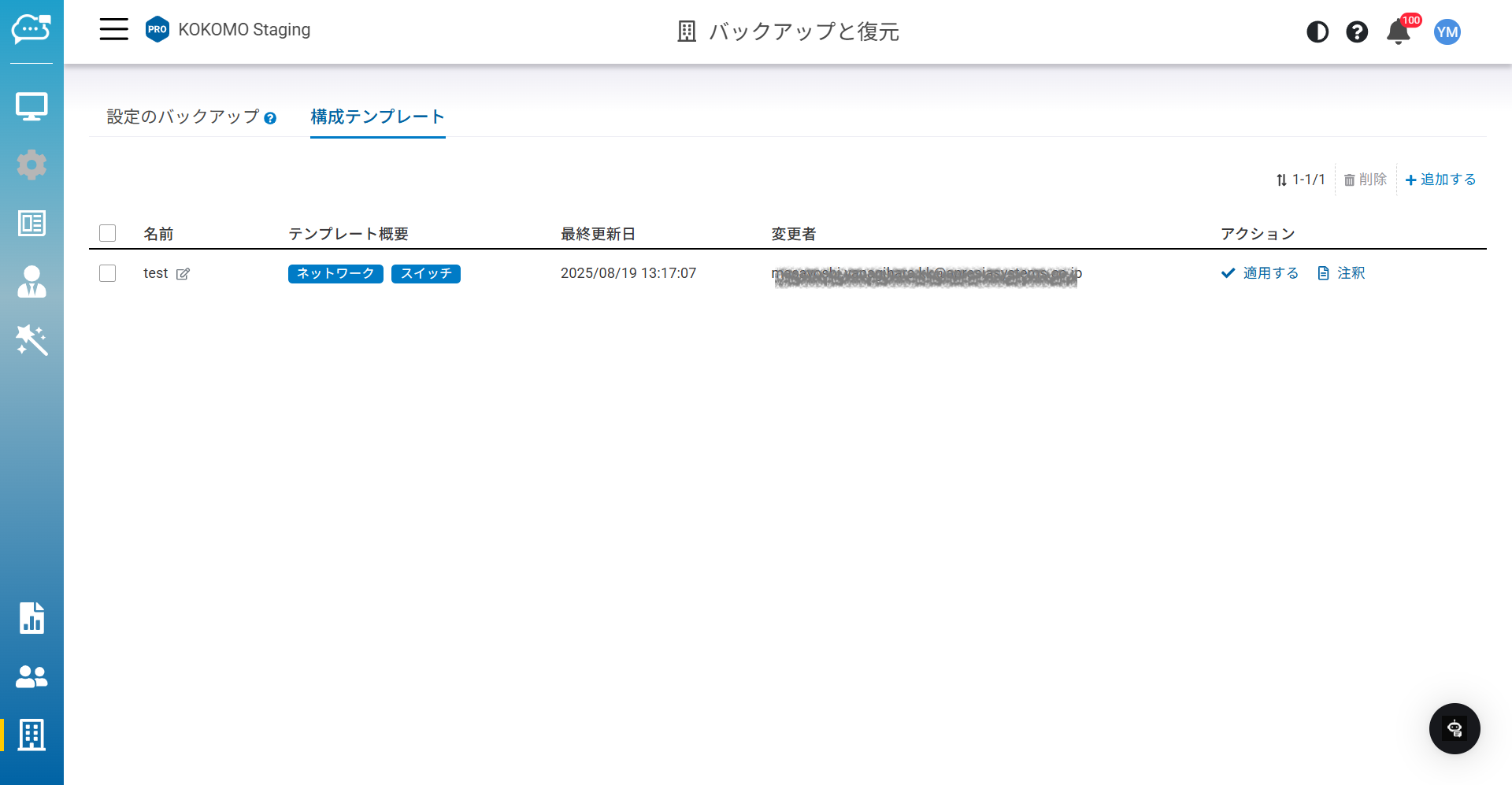
「**組織**」>「**バックアップと復元**」>「**構成テンプレート**」でこのページにアクセスできます。
**名前**:テンプレート名。
**テンプレート概要**:ネットワークテンプレートにどのテンプレートが含まれるかについてユーザーの理解に役立つ簡潔なサマリー。
**最終更新日**:最後に更新した日時。
**変更者**:最後に更新を行ったユーザーアカウント。
**アクション(注釈)**:テンプレートに追加できる任意のメモ。
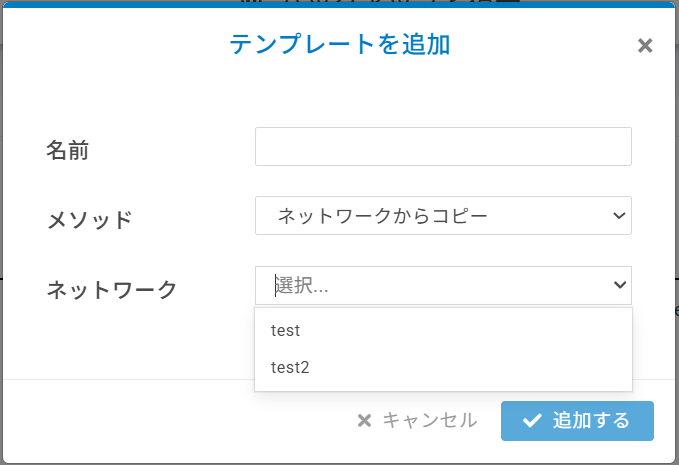
## ネットワークテンプレートの追加
複製元にしたいネットワークを選択すると、そのテンプレートが表示されます。
{% hint style="info" %}
必須情報
複製元のネットワークが見つからない場合、以下の条件を満たしているか確認してください:
1. ネットワークテンプレート内に複数のゲートウェイ、スイッチを許可しないでください。
2. ネットワーク全体設定をオーバーライドするいかなるアクセスポイントも許可しないでください。
{% endhint %}
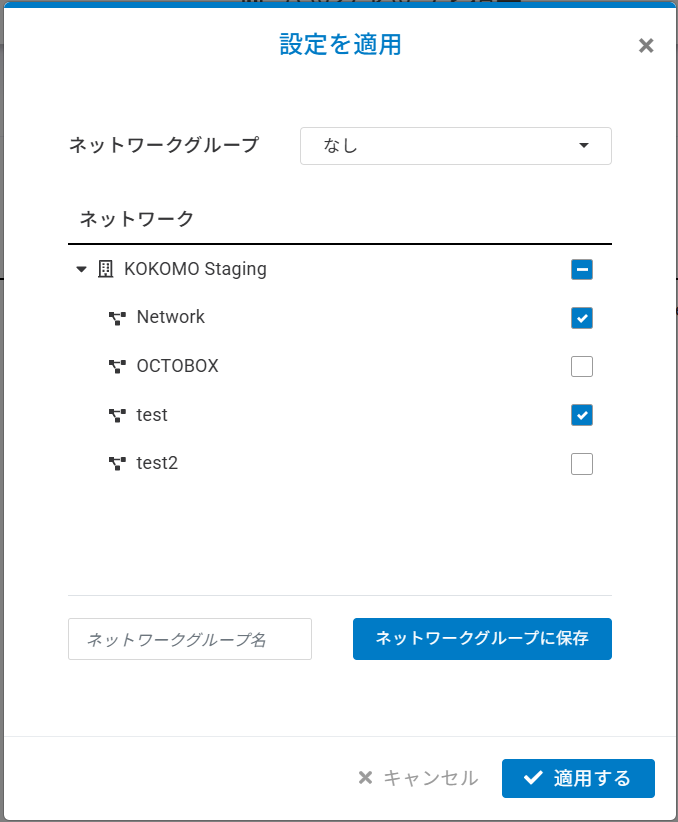
## 設定の適用
初めて設定を適用する際は、ネットワークグループに名前を付けてネットワークを割り当てるか、設定を適用したいネットワークを選択することが可能です。
{% hint style="info" %}
必須情報
ネットワークテンプレート追加の際、一部の設定はネットワークからコピーされません。
1. 「**設定**」>「**ゲートウェイ**」>「**インターフェース**」>「**WAN**」
2. 「**設定**」>「**ゲートウェイ**」>「**サイト間VPN**」
3. 「**設定**」>「**ゲートウェイ**」>「**クライアントVPN**」
{% endhint %}
{% hint style="danger" %}
ゲートウェイは2025年度末にリリース予定です。
{% endhint %}
---
# Agent Instructions
This documentation is published with GitBook. GitBook is the documentation platform designed so that both humans and AI agents can read, navigate, and reason over technical content effectively. Learn more at gitbook.com.
## Querying This Documentation
If you need additional information that is not directly available in this page, you can query the documentation dynamically by asking a question.
Perform an HTTP GET request on the current page URL with the `ask` query parameter, and the optional `goal` query parameter:
```
GET https://docs.lan.kokomocloud.com/managing-organizations/backup-and-restore/configuration-template.md?ask=&goal=
```
`ask` is the immediate question: it should be specific, self-contained, and written in natural language.
`goal` is optional and describes the broader end goal you are ultimately trying to accomplish on behalf of the user. GitBook uses it to tailor the answer towards what is most useful for that goal.
The response will contain a direct answer to the question and relevant excerpts and sources from the documentation.
Use this mechanism when the answer is not explicitly present in the current page, you need clarification or additional context, or you want to retrieve related documentation sections.