> For the complete documentation index, see [llms.txt](https://docs.lan.kokomocloud.com/llms.txt). Markdown versions of documentation pages are available by appending `.md` to page URLs; this page is available as [Markdown](https://docs.lan.kokomocloud.com/managing-devices/vpn-status.md).
# VPNステータス
このページでは、組織内で拠点間VPNが有効な他のKOKOMOゲートウェイまたは非KOKOMOゲートウェイ対するゲートウェイのVPNステータスを確認できます。「**管理**」>「**VPNステータス**」からVPNステータスにアクセスできます。
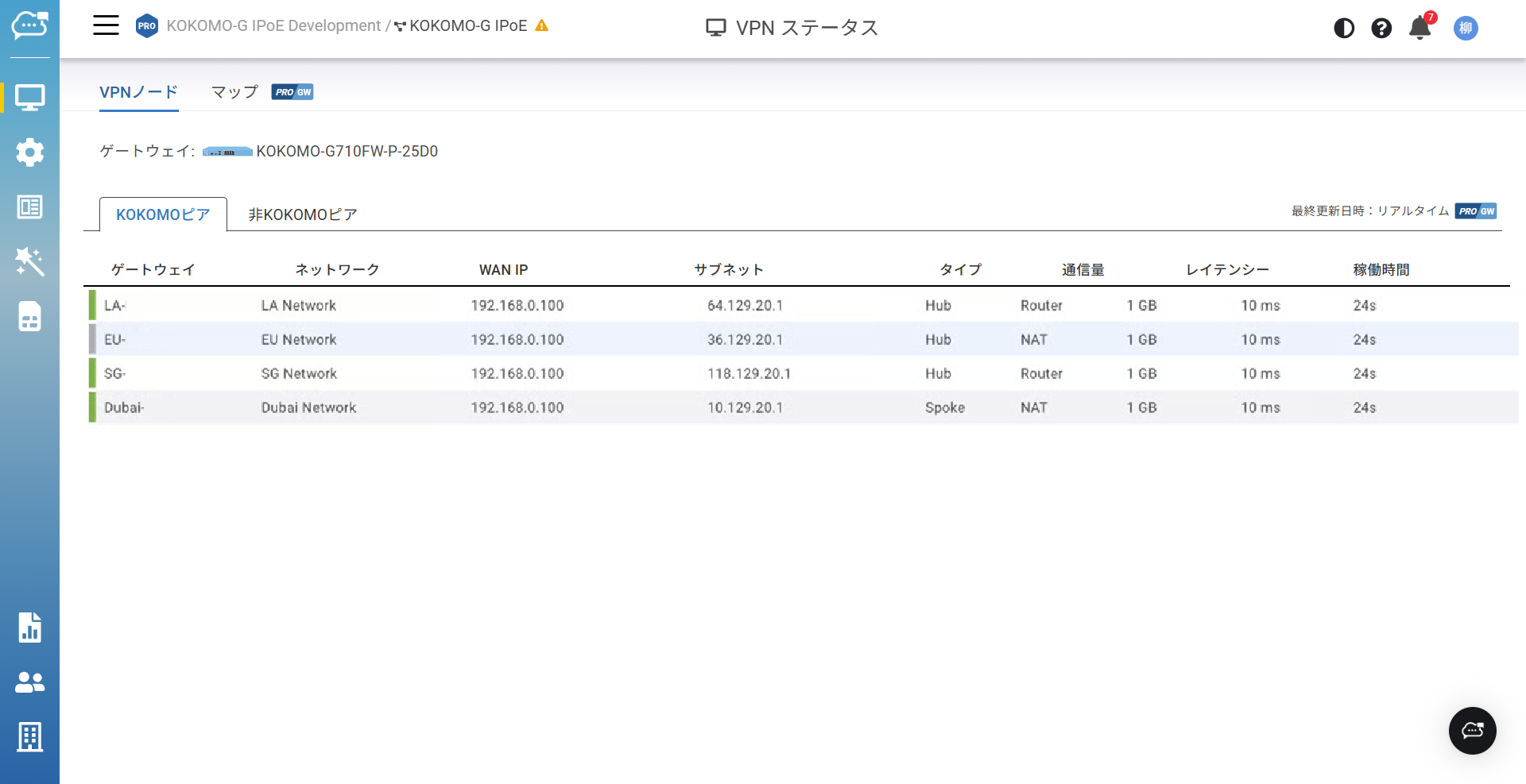
組織スコープにいる場合、ゲートウェイを選択し、他のKOKOMOピアまたは非KOKOMOピアに対する現在のVPNステータスを、タブを切り替えて監視できます。
**KOKOMOピア**のタブでは、以下の情報が確認できます。
* **ゲートウェイ**:KOKOMOゲートウェイの名前
* **ネットワーク**:ゲートウェイが割り当てられているネットワーク
* **WAN IP**:リモートゲートウェイのWAN IP
* **サブネット**:拠点間VPN経由で到達可能なリモートゲートウェイ背後にあるリモートサブネットのネットワークアドレス
* **タイプ**:「**設定**」>「**ゲートウェイ**」>「**サイト間VPN**」で設定されているタイプ
* **通信量**:そのKOKOMO VPNピアとの間のトラフィック量
* **レイテンシー**:KOKOMOゲートウェイとリモートピア間の往復レイテンシ
* **稼働時間**:VPNトンネルがアクティブになっていた時間
ネットワークスコープにいる場合は、そのネットワーク内のゲートウェイが表示され、他のKOKOMOピアまたは非KOKOMOピアに対する現在のVPNステータスを監視できます。
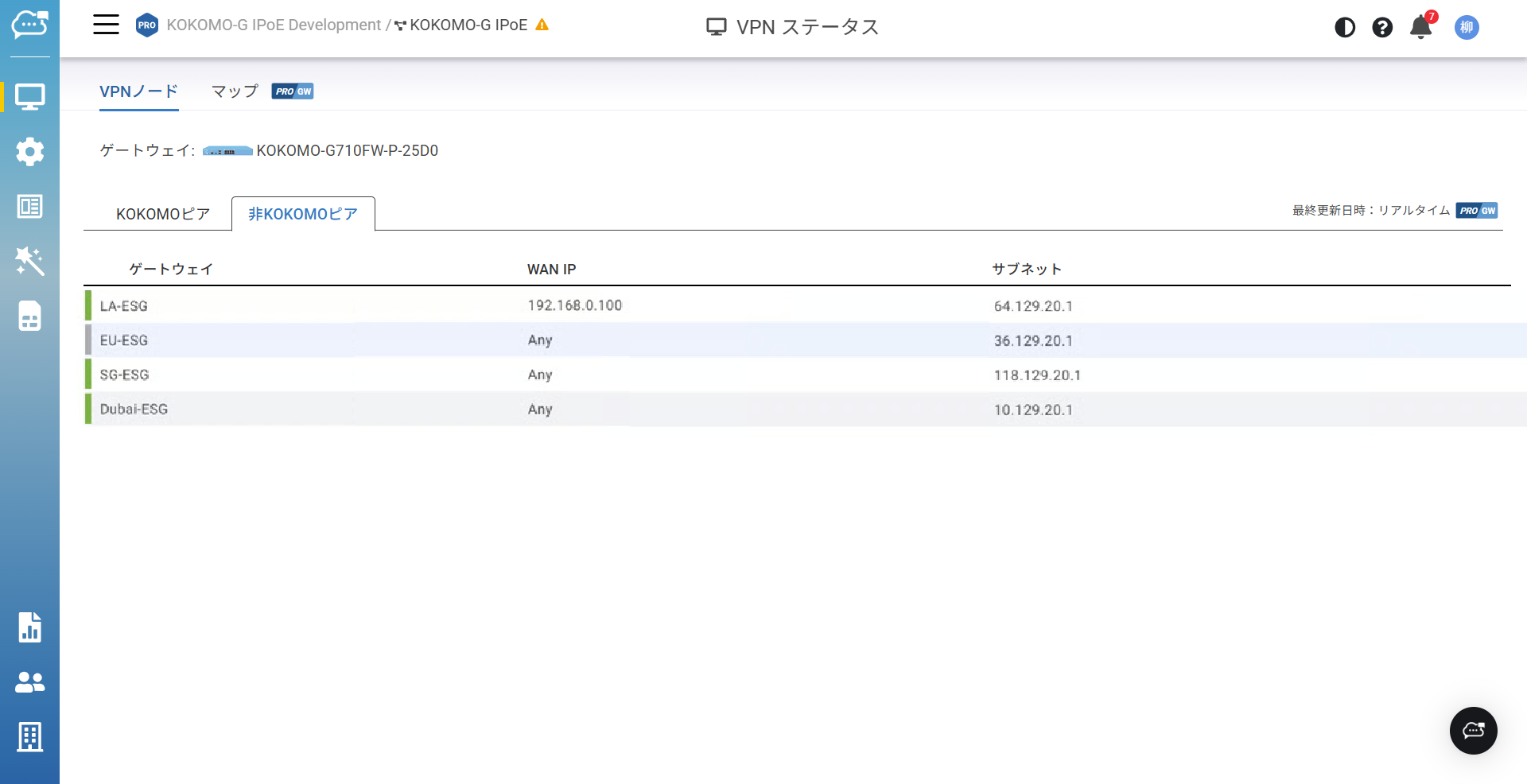
**非KOKOMOピア**のタブでは、以下の情報が確認できます。
* **ゲートウェイ**:KOKOMOゲートウェイの名前
* **WAN IP**:非KOKOMOピアに設定されたWAN IP
* **サブネット**:サイト間VPN経由で到達可能なリモートの非KOKOMOゲートウェイ背後にあるリモートサブネットのネットワークアドレス
## VPNマップ
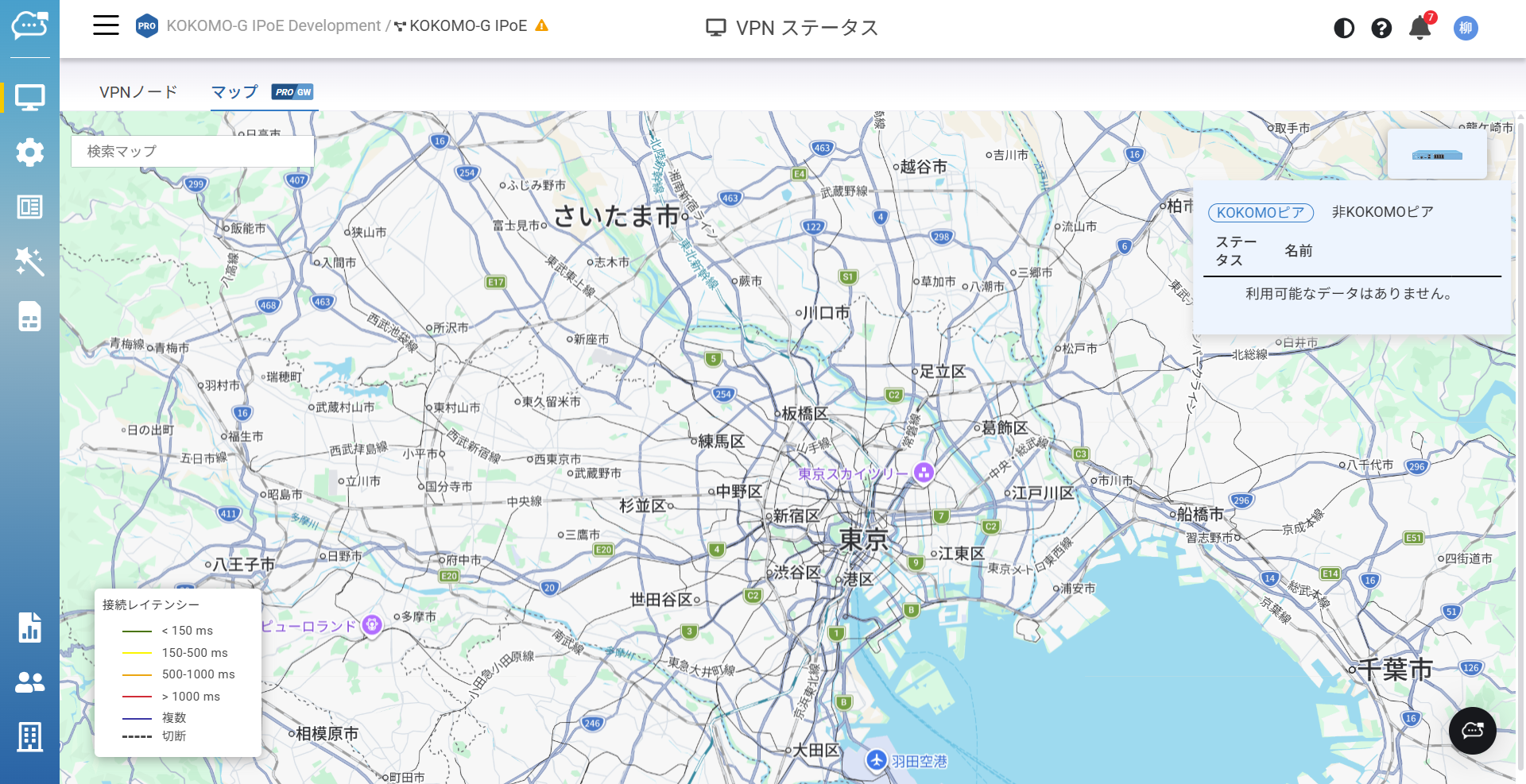
ユーザーは、組織内のKOKOMOゲートウェイおよび非KOKOMOゲートウェイをGoogleマップ上にドラッグ&ドロップし、デプロイ済みゲートウェイの全体像をGoogleマップ上で把握し、VPNトポロジーを確認できます。このページは、「**管理**」>「**VPNステータス**」>「**マップ**」からアクセス可能です。
色分けにより各VPNリンクのレイテンシが示され、各VPNリンクの品質が一目で分かるようになっています。
---
# Agent Instructions
This documentation is published with GitBook. GitBook is the documentation platform designed so that both humans and AI agents can read, navigate, and reason over technical content effectively. Learn more at gitbook.com.
## Querying This Documentation
If you need additional information that is not directly available in this page, you can query the documentation by asking a question.
Perform an HTTP GET request on the following URL with the `ask` and `goal` query parameters:
```
GET https://docs.lan.kokomocloud.com/managing-devices/vpn-status.md?ask=&goal=
```
`ask` is the immediate question: it should be specific, self-contained, and written in natural language.
`goal` is what the user is ultimately trying to achieve, the reason they need the answer. Sharing it helps GitBook give you a better, more relevant answer. A goal is most helpful when it describes the outcome the user wants rather than restating the question. For example, with `ask=how do I create an API token`, a goal like `automate deployments from our CI pipeline` lets GitBook tailor the answer to that use case.
The response will contain a direct answer to the question and relevant excerpts and sources from the documentation.
Use this mechanism when the answer is not explicitly present in the current page, you need clarification or additional context, or you want to retrieve related documentation sections.