> For the complete documentation index, see [llms.txt](https://docs.lan.kokomocloud.com/llms.txt). Markdown versions of documentation pages are available by appending `.md` to page URLs; this page is available as [Markdown](https://docs.lan.kokomocloud.com/managing-devices/managing-gateway/configure-and-check-gateway-details.md).
# ゲートウェイ詳細情報(WAN)
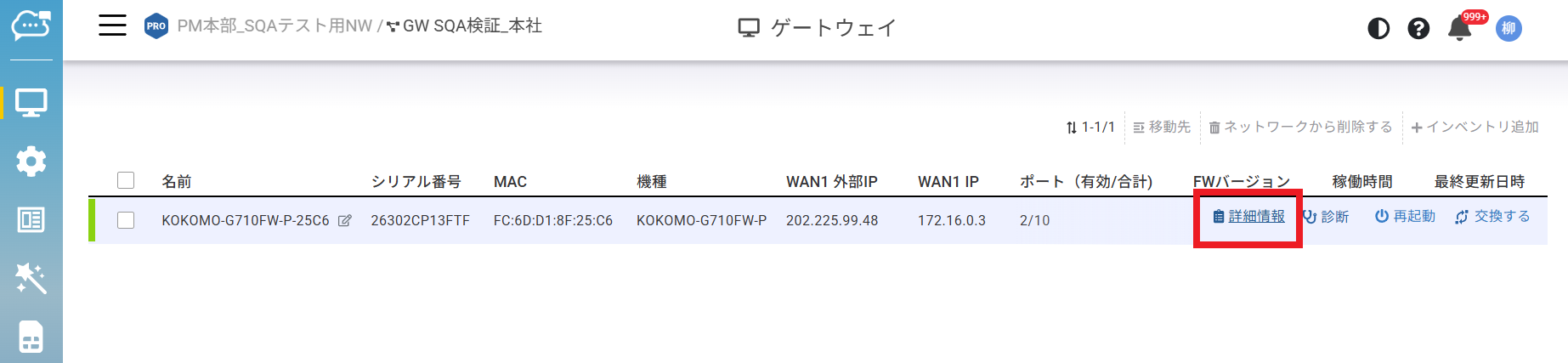
詳細を確認するには、ゲートウェイのページで対象のゲートウェイの行にマウスカーソルを合わせ、表示されている「**詳細情報**」リンクをクリックしてゲートウェイ詳細ページに入ります。
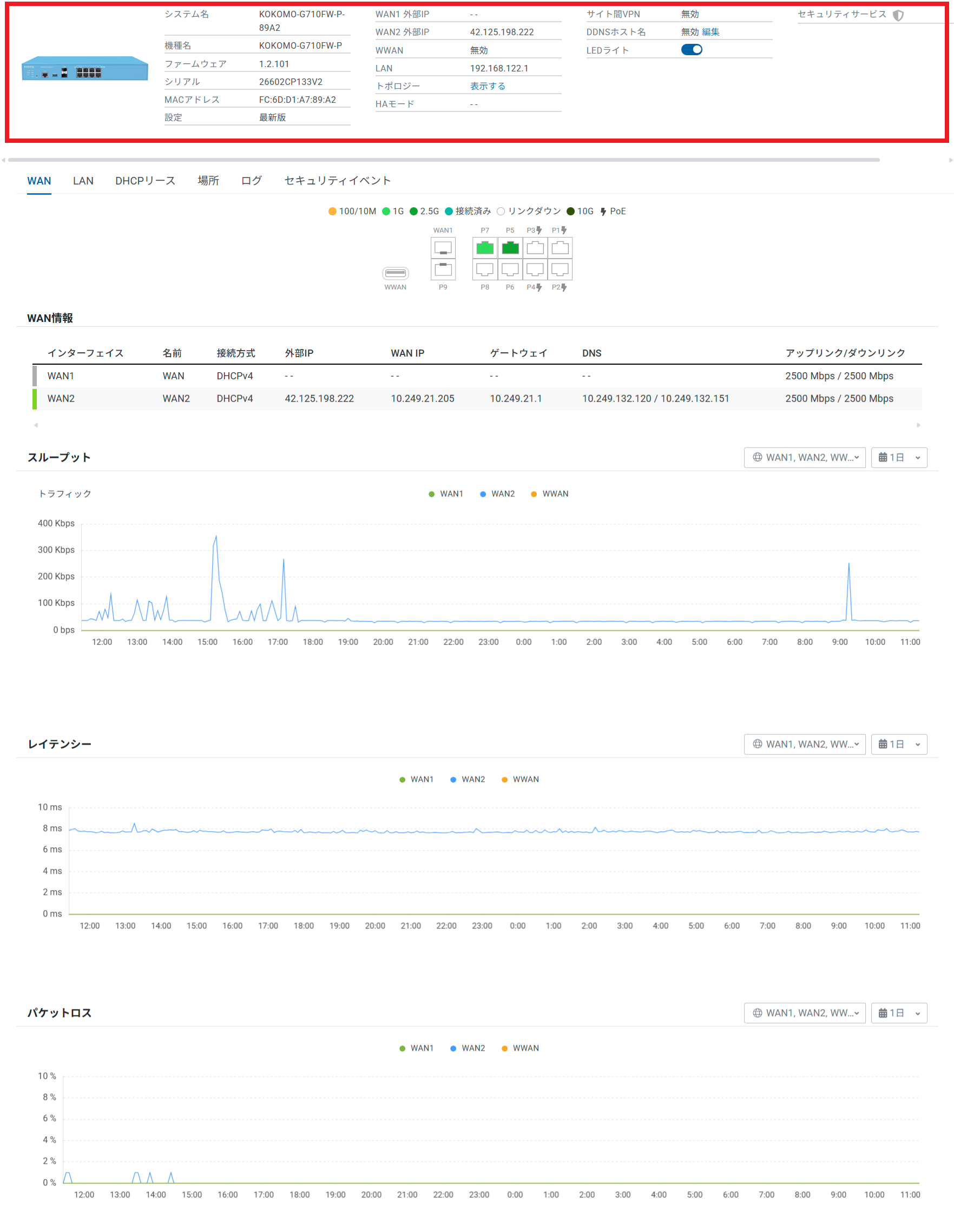
ページの上部表示エリアには、当該ゲートウェイの機種名やシリアル番号、MACアドレス、稼働中のファームウェアバージョンなどの情報が表示されます。
## WAN
### **ポート情報**
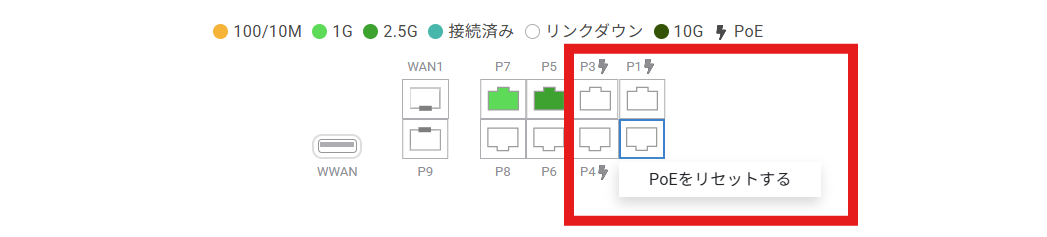
ユーザーはポートパネル上のPoEポート(P1~P4)にマウスオーバーしてポートの電源を再投入でき、これにより接続されているデバイスが再起動されます。
### **WAN情報**
WANインターフェースの設定情報を表示します。
* **インターフェース**:WAN1またはWAN2を表示
* **名前**:WAN1またはWAN2の名前
* **接続方式**:DHCPv4、PPPoEv4、または静的IPv4
* **外部 IP**:KOKOMO Cloudから見たWANインターフェースのインターネット向け外部 IPアドレスです。上流にNAT機器がある場合はそのNAT機器の外部 IPアドレスとなります。ゲートウェイのWANインターフェースが直接インターネットに接続されている場合はそのインターフェース自身に割り当てられたIPアドレスになります。
* **WAN IP**:WANインターフェースに割り当てられたIPアドレスです。WANインターフェースが直接インターネットに接続されている場合は外部IPと同じになります。上流にNAT機器がある場合は通常、プライベートIPアドレスとなります。
* **ゲートウェイ**:そのWANインターフェースでインターネットにアクセスする際のネクストホップゲートウェイとして使用される、WANインターフェースのゲートウェイIPアドレスです。
* **DNS**:設定されているDNSサーバーのIPアドレス
* **アップリンク/ダウンリンク**:設定されているISP帯域幅
{% hint style="info" %}
**補足情報**
WAN1/WAN2の横のステータスバーは、緑色であればそのインターフェースはインターネット接続があり、灰色であればそのインターフェースはインターネット接続がないことを意味します。
{% endhint %}
### **スループット**
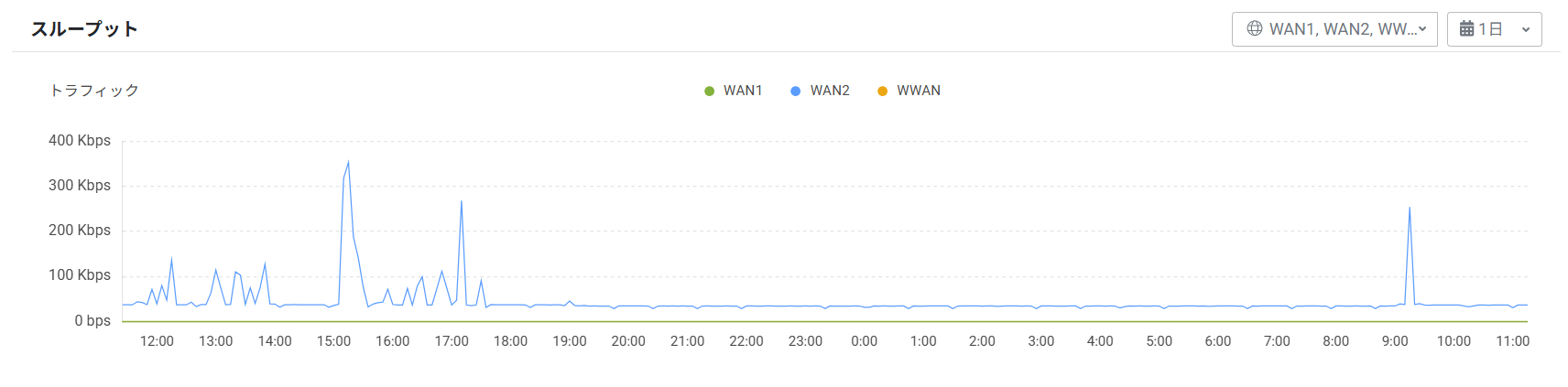
このグラフはWANインタフェースのスループットを表示します。なお、フィルタを設定することで、以下の要件に応じた結果を取得可能です。
* **インターフェース別(WAN1, WAN2, WWAN)**
* **期間別(日次/週次/月次)**
### レイテンシー
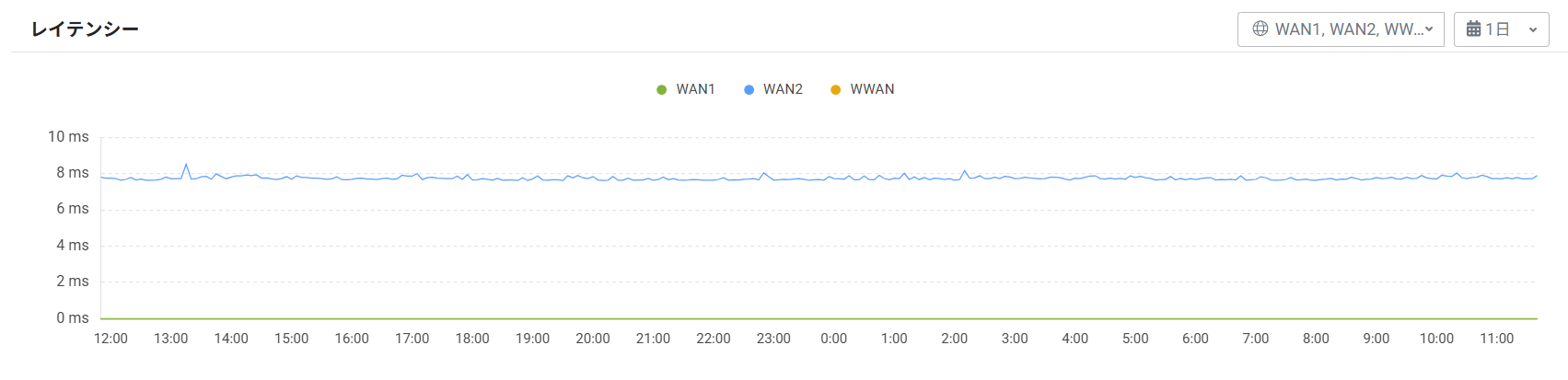
このグラフは、KOKOMOゲートウェイとGoogle Public DNS間のレイテンシーを日/週/月単位で表示します。なお、フィルタを設定することで、以下の要件に応じた結果を取得可能です。
* **インターフェース別(WAN1, WAN2, WWAN)**
* **期間別(日次/週次/月次)**
### パケットロス
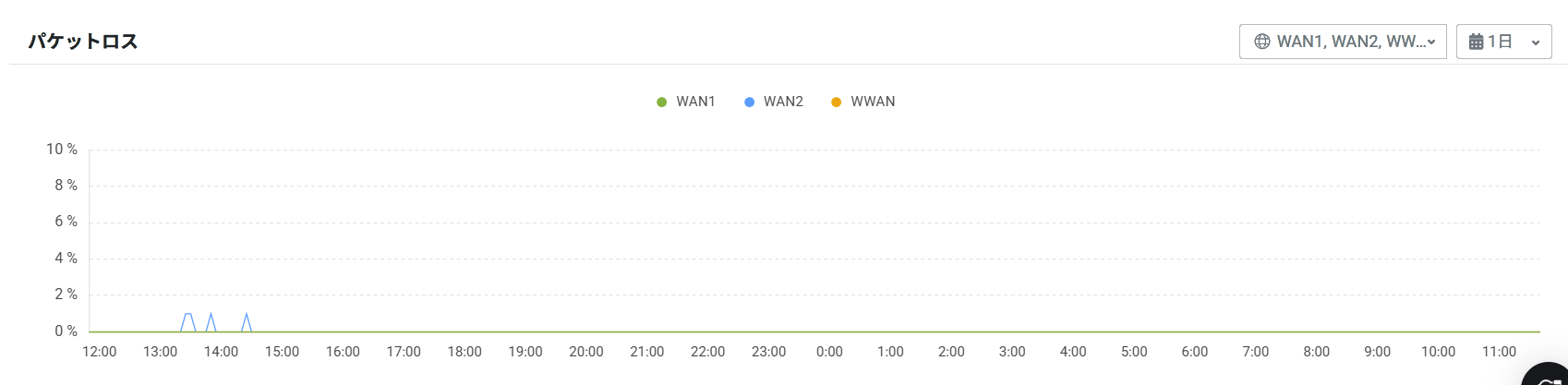
このグラフは、WANインタフェースでのパケットロス率を表示します。なお、フィルタを設定することで、以下の要件に応じた結果を取得可能です。
* **インターフェース別(WAN1, WAN2, WWAN)**
* **期間別(日次/週次/月次)**
---
# Agent Instructions
This documentation is published with GitBook. GitBook is the documentation platform designed so that both humans and AI agents can read, navigate, and reason over technical content effectively. Learn more at gitbook.com.
## Querying This Documentation
If you need additional information that is not directly available in this page, you can query the documentation by asking a question.
Perform an HTTP GET request on the following URL with the `ask` and `goal` query parameters:
```
GET https://docs.lan.kokomocloud.com/managing-devices/managing-gateway/configure-and-check-gateway-details.md?ask=&goal=
```
`ask` is the immediate question: it should be specific, self-contained, and written in natural language.
`goal` is what the user is ultimately trying to achieve, the reason they need the answer. Sharing it helps GitBook give you a better, more relevant answer. A goal is most helpful when it describes the outcome the user wants rather than restating the question. For example, with `ask=how do I create an API token`, a goal like `automate deployments from our CI pipeline` lets GitBook tailor the answer to that use case.
The response will contain a direct answer to the question and relevant excerpts and sources from the documentation.
Use this mechanism when the answer is not explicitly present in the current page, you need clarification or additional context, or you want to retrieve related documentation sections.