> For the complete documentation index, see [llms.txt](https://docs.lan.kokomocloud.com/llms.txt). Markdown versions of documentation pages are available by appending `.md` to page URLs; this page is available as [Markdown](https://docs.lan.kokomocloud.com/managing-devices/managing-gateway.md).
# ゲートウェイの管理
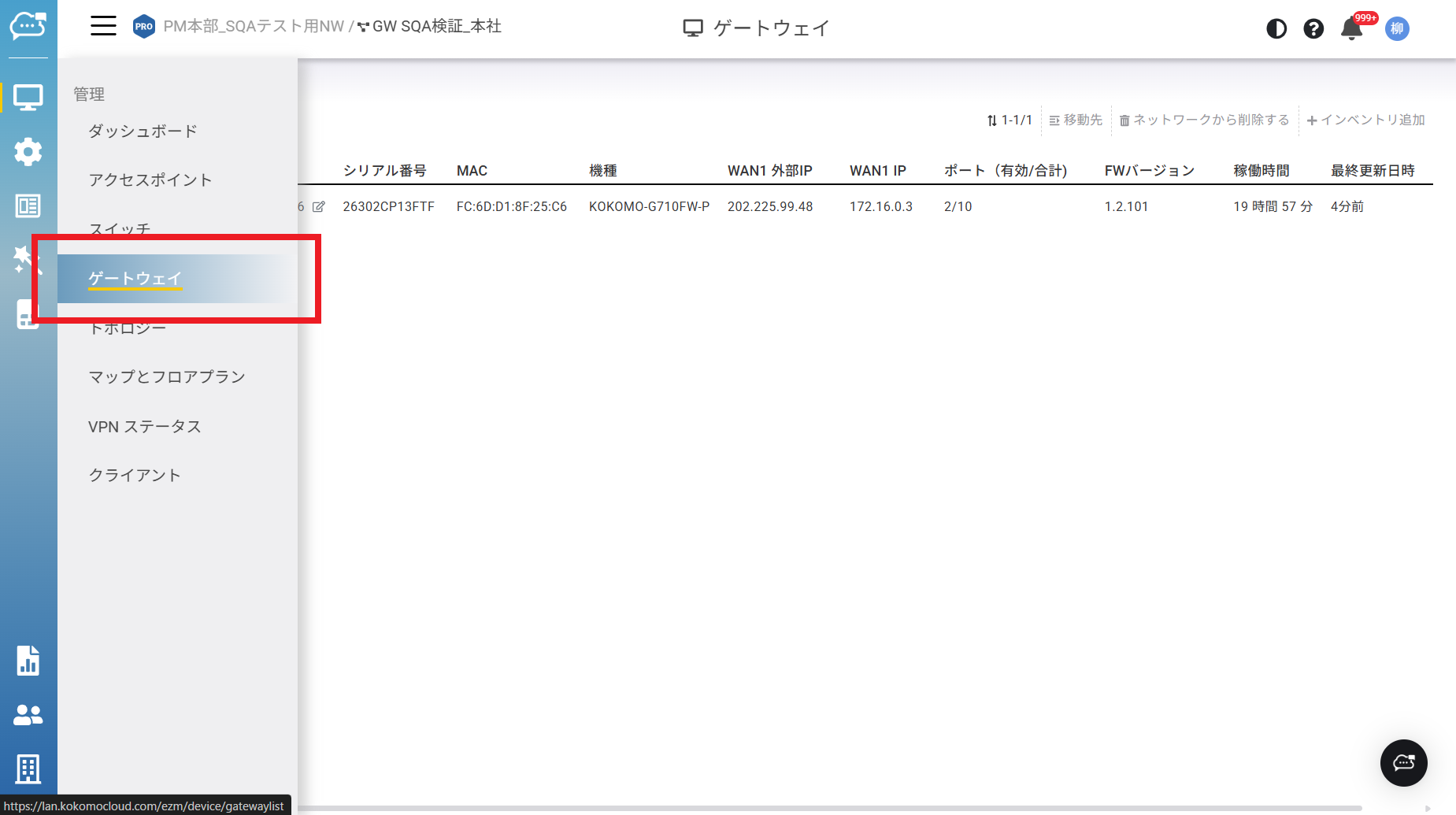
「**管理**」>「**ゲートウェイ**」をクリックしてこの画面にアクセスします。スコープを変更するには、組織ツリーから変更したい組織/階層ビュー/ネットワークをダブルクリックします。
各ゲートウェイについて、KOKOMO Cloudはゲートウェイから定期的に報告される多くのデータを収集・集約します。ゲートウェイの監視やトラッキングを容易にするため、高度なグラフや表がゲートウェイ詳細ページで利用できます。
以下はこの画面の機能について説明です:
**移動先**:1台または複数のゲートウェイを選択し、クリックして他の階層ビュー/ネットワークへ移動します。
**ネットワークから削除する**:1台または複数のゲートウェイを選択し、クリックして現在の組織/階層ビュー/ネットワークから削除します。
**インベントリ追加**:このボタンをクリックして、既存のインベントリからゲートウェイを追加します。
**詳細情報**:クリックすると個別のゲートウェイ詳細が表示されます。
---
# Agent Instructions
This documentation is published with GitBook. GitBook is the documentation platform designed so that both humans and AI agents can read, navigate, and reason over technical content effectively. Learn more at gitbook.com.
## Querying This Documentation
If you need additional information that is not directly available in this page, you can query the documentation by asking a question.
Perform an HTTP GET request on the following URL with the `ask` and `goal` query parameters:
```
GET https://docs.lan.kokomocloud.com/managing-devices/managing-gateway.md?ask=&goal=
```
`ask` is the immediate question: it should be specific, self-contained, and written in natural language.
`goal` is what the user is ultimately trying to achieve, the reason they need the answer. Sharing it helps GitBook give you a better, more relevant answer. A goal is most helpful when it describes the outcome the user wants rather than restating the question. For example, with `ask=how do I create an API token`, a goal like `automate deployments from our CI pipeline` lets GitBook tailor the answer to that use case.
The response will contain a direct answer to the question and relevant excerpts and sources from the documentation.
Use this mechanism when the answer is not explicitly present in the current page, you need clarification or additional context, or you want to retrieve related documentation sections.