> For the complete documentation index, see [llms.txt](https://docs.lan.kokomocloud.com/llms.txt). Markdown versions of documentation pages are available by appending `.md` to page URLs; this page is available as [Markdown](https://docs.lan.kokomocloud.com/configuring-networks/general-settings/ap.md).
# アクセスポイント
## LEDライト
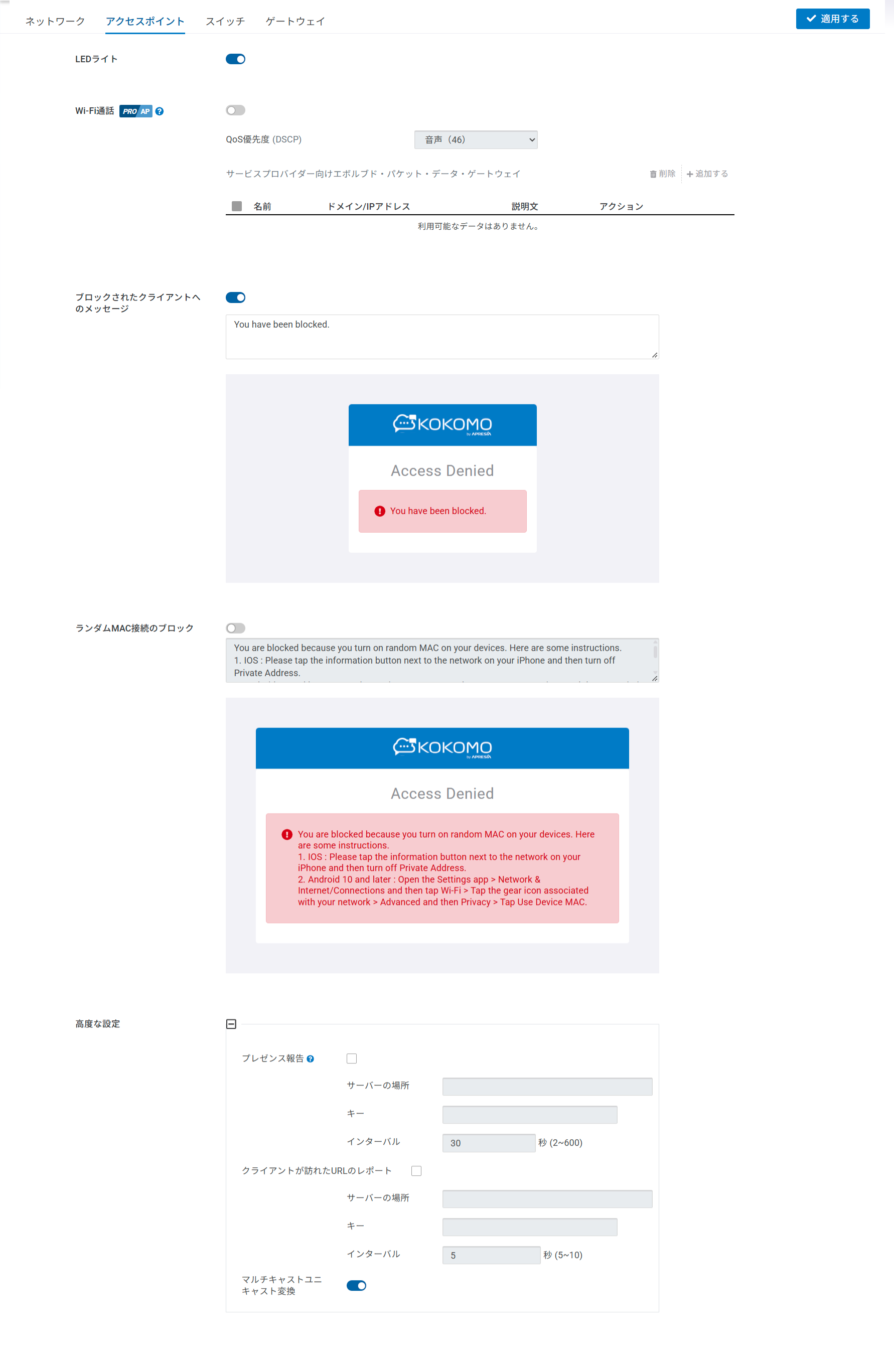
現在のネットワーク内すべてのアクセスポイントのLEDライトを有効化できます。
## ブロックされたクライアント向けメッセージ
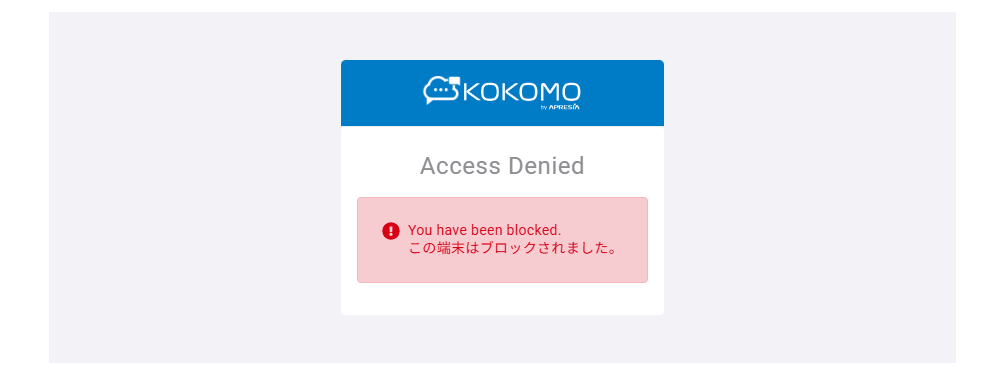
クライアントのネットワークへのアクセスをブロックすることができます。これらのクライアントがネットワーク接続を試行してWebブラウザを開くと、ブロックメッセージへリダイレクトされます。ネットワーク全体のデフォルトブロックメッセージはネットワークごとに設定します。
以下のブロック用スプラッシュページがブロックされたクライアントに表示されます。\
ボックス内の文章を変更することで、クライアントがブロックされた際に表示されるメッセージを変更できます(日本語OK)。
## ランダムMAC接続のブロック
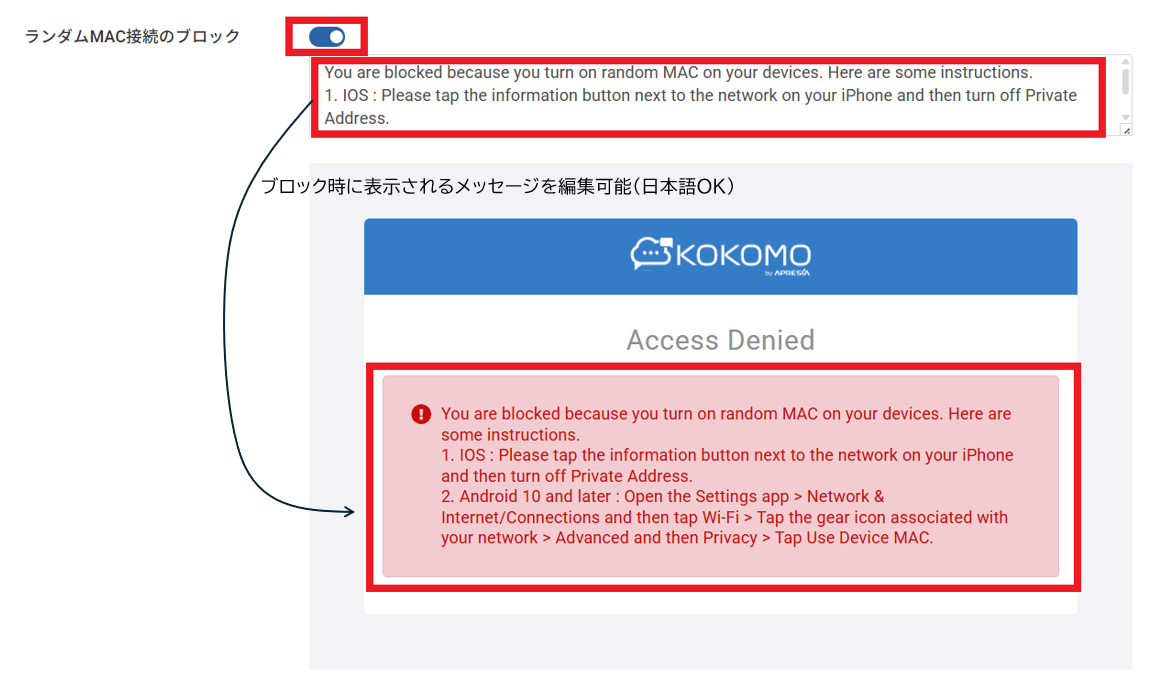
ランダムMAC接続のブロックは、クライアントがSSIDに接続しようとする際に、クライアントがランダム(プライベート)MACアドレスを使用している場合、アクセスポイントでその接続を拒否する機能です(デフォルトは無効)。
ボックス内の文章を変更することで、クライアントがブロックされた際に表示されるメッセージを変更できます(日本語OK)。
## 高度な設定
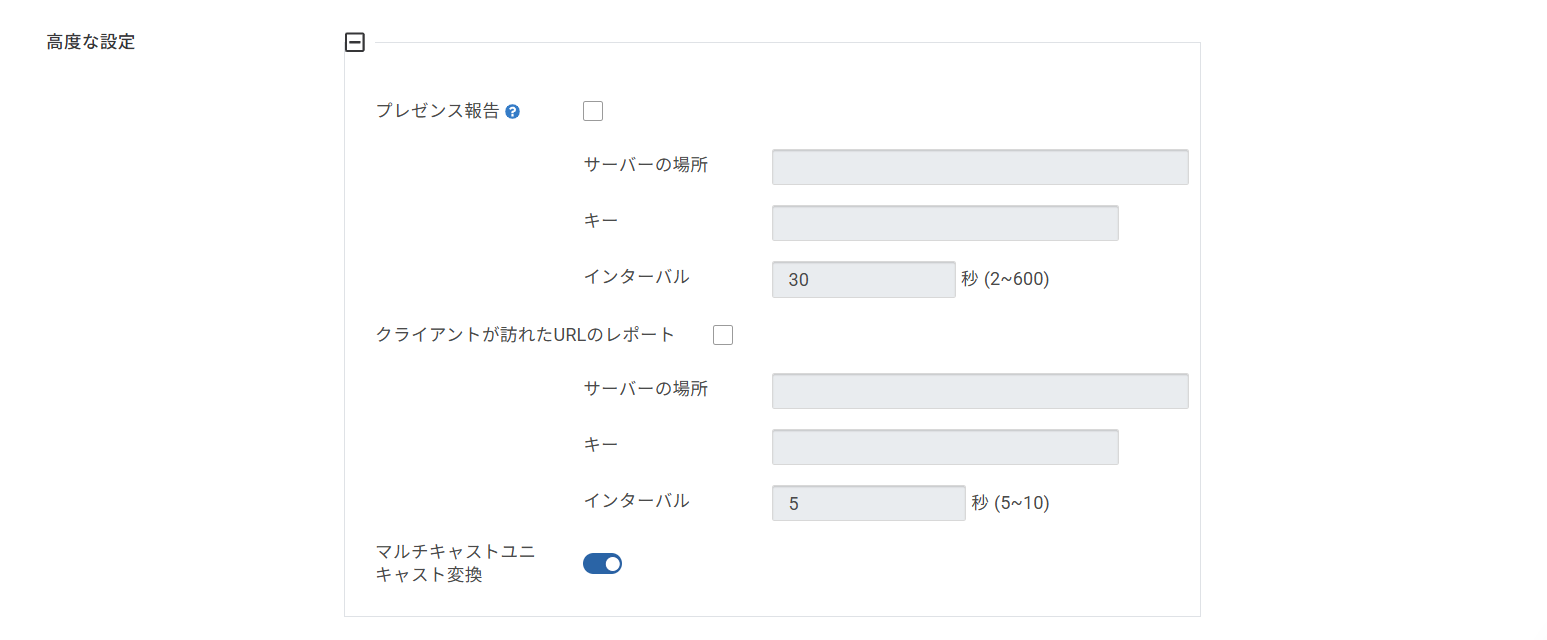
CRMツール、プレゼンス分析、位置認識サービスなど、無線クライアントのプレゼンスデータを継続的に収集する必要があるアプリケーションに対して、KOKOMO Cloudのアクセスポイントはリアルタイムのプレゼンスデータを提供し、要件を満たすことができます。
KOKOMOプレゼンスサービスでは、クラウド管理型アクセスポイントが無線クライアントによって送信される802.11プローブ要求フレームを継続的に収集し、KOKOMO Cloudで設定したサードパーティサーバーにデータ送信します。
このページでは以下のパラメータが設定できます:
* **サーバーの場所**:サードパーティサーバーのアドレスを入力します。
* **キー**:ペイロード(JSONメッセージ)に対してSHA256 HMAC署名を生成するために使用される秘密鍵。この署名は、POST メッセージのカスタム HTTP ヘッダー (「Signature」) に追加されます。
* **インターバル**:連続する2つのメッセージの送信間隔。
---
# Agent Instructions
This documentation is published with GitBook. GitBook is the documentation platform designed so that both humans and AI agents can read, navigate, and reason over technical content effectively. Learn more at gitbook.com.
## Querying This Documentation
If you need additional information that is not directly available in this page, you can query the documentation by asking a question.
Perform an HTTP GET request on the following URL with the `ask` and `goal` query parameters:
```
GET https://docs.lan.kokomocloud.com/configuring-networks/general-settings/ap.md?ask=&goal=
```
`ask` is the immediate question: it should be specific, self-contained, and written in natural language.
`goal` is what the user is ultimately trying to achieve, the reason they need the answer. Sharing it helps GitBook give you a better, more relevant answer. A goal is most helpful when it describes the outcome the user wants rather than restating the question. For example, with `ask=how do I create an API token`, a goal like `automate deployments from our CI pipeline` lets GitBook tailor the answer to that use case.
The response will contain a direct answer to the question and relevant excerpts and sources from the documentation.
Use this mechanism when the answer is not explicitly present in the current page, you need clarification or additional context, or you want to retrieve related documentation sections.