> For the complete documentation index, see [llms.txt](https://docs.lan.kokomocloud.com/llms.txt). Markdown versions of documentation pages are available by appending `.md` to page URLs; this page is available as [Markdown](https://docs.lan.kokomocloud.com/configuring-networks/configuring-gateway/configuring-interface/policy-route.md).
# ポリシールート
## ポリシーベースルーティング
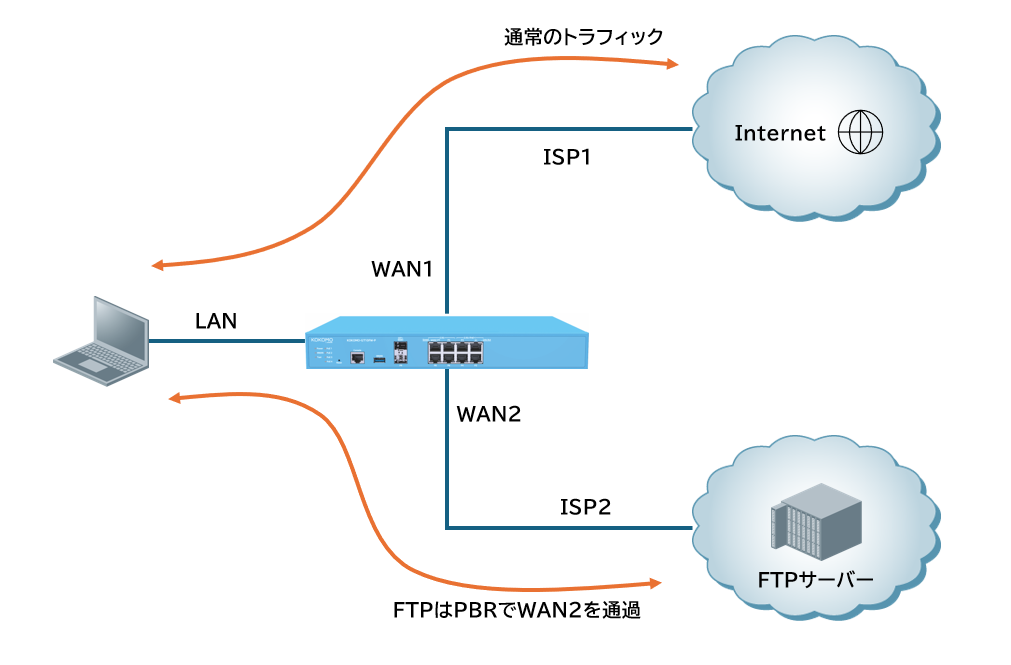
PBR(Policy-Based Routing:ポリシーベースルーティング)は、送信元/宛先IPアドレスやL4ポート番号などの条件に基づいてルーティングポリシーを定義することで、ネットワークトラフィックを正確に制御できます。この機能により、非効率なネットワークリソース管理の課題を解消し、トラフィックのルーティングと最適化に対して、組織により高い柔軟性と制御性を提供します。
* ルーティングポリシーを定義することで、トラフィックを優先するネットワーク経路へ振り分けたり、特定種類のトラフィックを優先したり、複数リンク間で負荷分散を行ったりできます。
* PBRはQoS(Quality of Service)ポリシーの実装にも利用でき、音声やビデオ通信などの重要なトラフィックを、時間的制約の少ないトラフィックよりも優先できます。
## 設定方法
この画面には、「**設定**」>「**ゲートウェイ**」>「**インターフェース**」>「**ポリシールート**」からアクセスできます。
## レイヤー 3 ポリシーベースルート
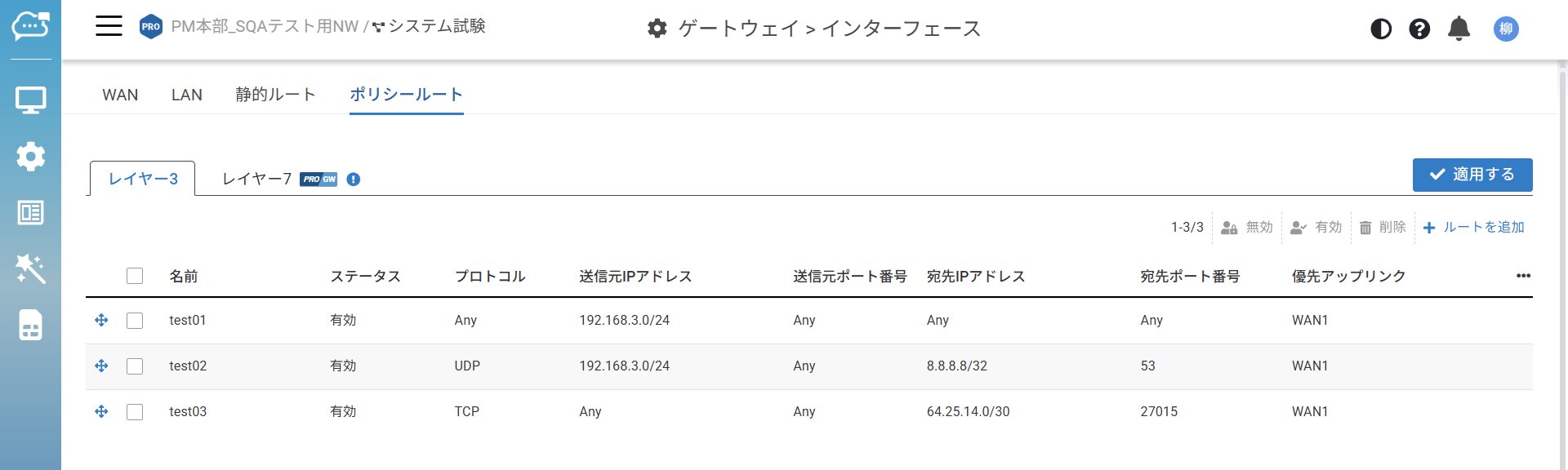
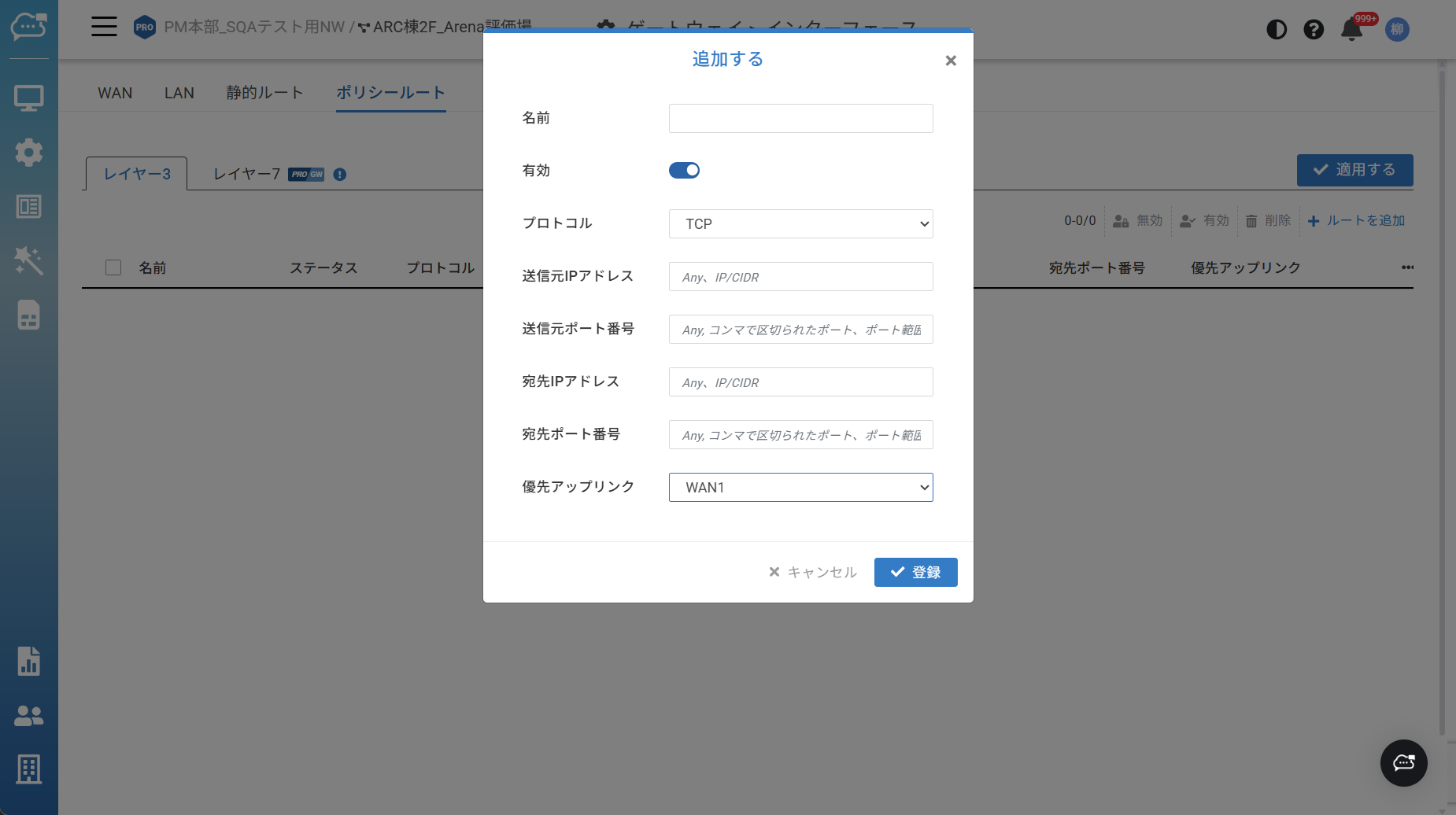
プロトコル、送信元IPアドレス/ポート番号、宛先IPアドレス/ポート番号を指定し、特定のトラフィックを異なるWANインターフェースへ振り分けるポリシーベースルーティングルールを作成できます。
### 設定方法
「**設定**」>「**ゲートウェイ**」>「**インターフェース**」>「**ポリシールート**」>「**レイヤー3**」でルートの追加ができます。
## レイヤー 7 ポリシーベースルート
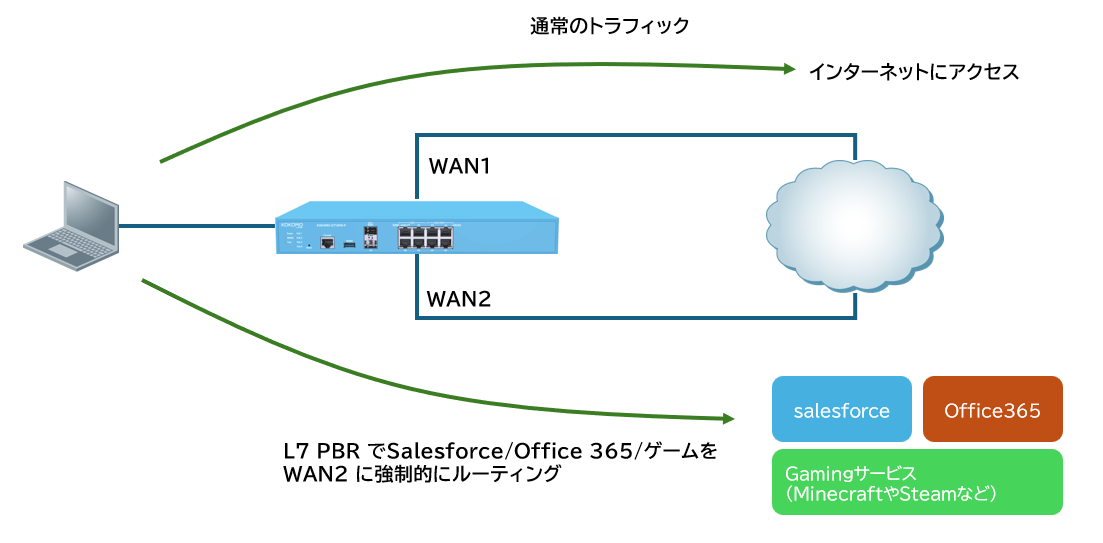
IPアドレスやポート範囲を指定せずに、特定のアプリケーションを異なるWANインターフェースへ振り分けるポリシーベースルーティングルールを作成できます。
* **トラフィック管理の最適化**:重要なアプリケーションはプライマリWANへ、重要度の低いトラフィックはセカンダリWANへ振り分けられます。
* **ネットワーク性能の向上**:アプリケーションに基づいてWANインターフェース間の負荷を分散し、ネットワーク効率を改善できます。
* **ルール管理の簡素化**:IPアドレスやポート範囲が変わってもルールの更新が不要です。
### アプリケーション例
企業はGmail、Windows 365、Salesforce.com などのSaaSサービスへの依存をますます強めています。これらのサービスは他のインターネット通信よりも重要であるため、他の通信と分離することが望ましい場合があります。このような場合、次のように構成できます。
1. WAN1をプライマリWAN、WAN2をフェイルオーバーWANとして設定し、ほとんどの通信をWAN1経由にする
2. Gmail、Windows 365、Salesforce.com などの業務上重要なSaaSトラフィックをWAN2経由にする
### 設定方法
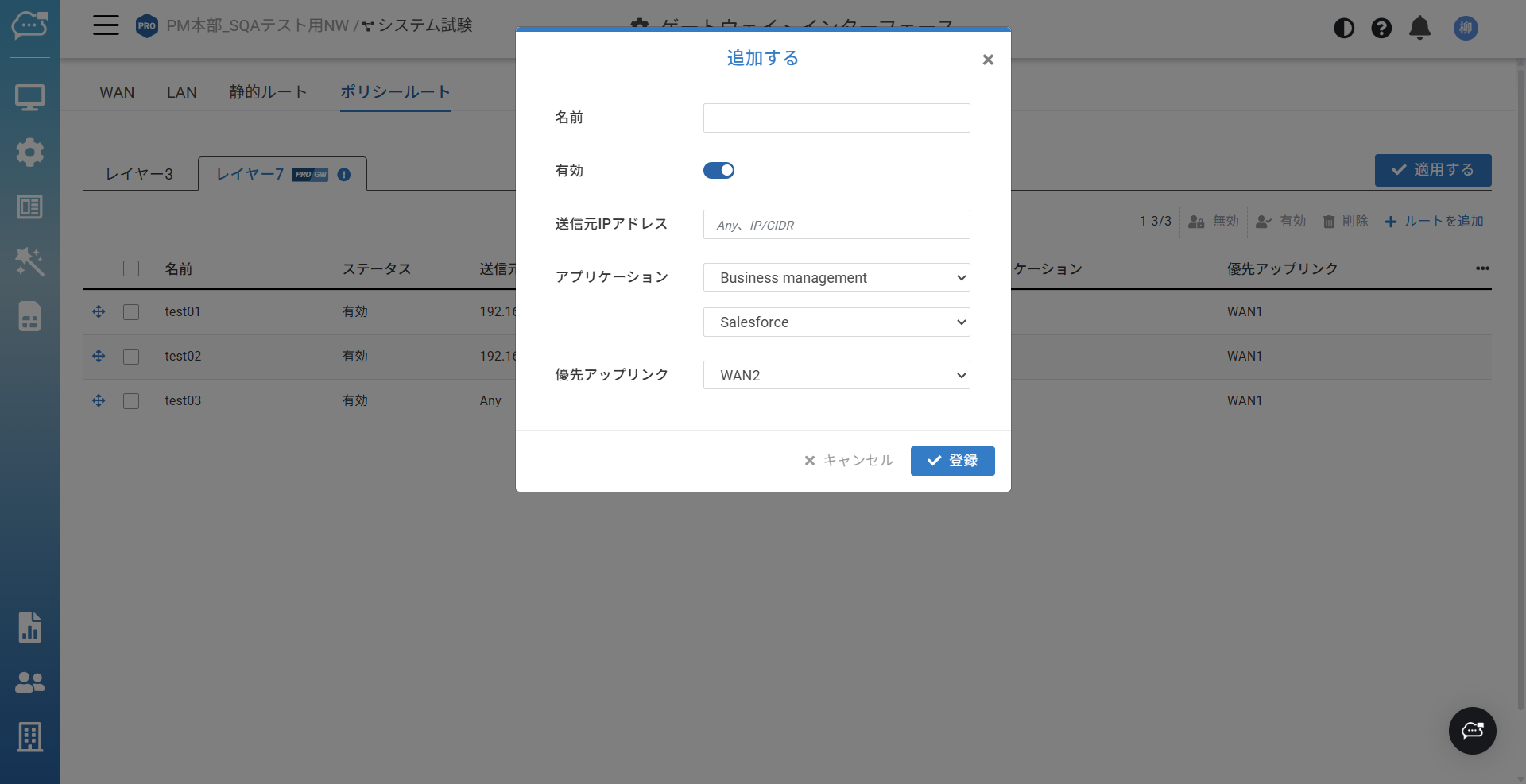
下図は、カテゴリ全体およびカテゴリ内の特定アプリケーションを異なるWANインターフェースへ振り分ける、レイヤー7ポリシーベースルーティングルールを示しています。
「**設定**」>「**ゲートウェイ**」>「**インターフェース**」>「**ポリシールート**」>「**レイヤー7**」でルートの追加ができます。
{% hint style="info" %}
留意事項
PBRの優先アップリンクはWAN1およびWAN2のみです。
フェイルオーバー順序のオプションは以下のとおりです。
* Option WAN1:WAN1が優先アップリンクで、次にWAN2、さらにWWANの順です。
* Option WAN2:WAN2が優先アップリンクで、次にWAN1、さらにWWANの順です。
注意:PBRのフェイルオーバーは、WWANで設定した「Fail-over preference」順序を参照しません。
{% endhint %}
{% hint style="danger" %}
WWAN機能は未サポートです。
{% endhint %}
---
# Agent Instructions
This documentation is published with GitBook. GitBook is the documentation platform designed so that both humans and AI agents can read, navigate, and reason over technical content effectively. Learn more at gitbook.com.
## Querying This Documentation
If you need additional information that is not directly available in this page, you can query the documentation by asking a question.
Perform an HTTP GET request on the following URL with the `ask` and `goal` query parameters:
```
GET https://docs.lan.kokomocloud.com/configuring-networks/configuring-gateway/configuring-interface/policy-route.md?ask=&goal=
```
`ask` is the immediate question: it should be specific, self-contained, and written in natural language.
`goal` is what the user is ultimately trying to achieve, the reason they need the answer. Sharing it helps GitBook give you a better, more relevant answer. A goal is most helpful when it describes the outcome the user wants rather than restating the question. For example, with `ask=how do I create an API token`, a goal like `automate deployments from our CI pipeline` lets GitBook tailor the answer to that use case.
The response will contain a direct answer to the question and relevant excerpts and sources from the documentation.
Use this mechanism when the answer is not explicitly present in the current page, you need clarification or additional context, or you want to retrieve related documentation sections.