> For the complete documentation index, see [llms.txt](https://docs.lan.kokomocloud.com/llms.txt). Markdown versions of documentation pages are available by appending `.md` to page URLs; this page is available as [Markdown](https://docs.lan.kokomocloud.com/configuring-networks/configuring-gateway/application-control-settings.md).
# アプリケーション制御の設定
アプリケーションレベルのトラフィック制御を可能にし、ネットワーク効率を向上させるLayer 7帯域幅制限をサポートしています。これにより、セキュリティポリシーに基づいてアプリケーションの利用を制御可能です。
## 設定方法
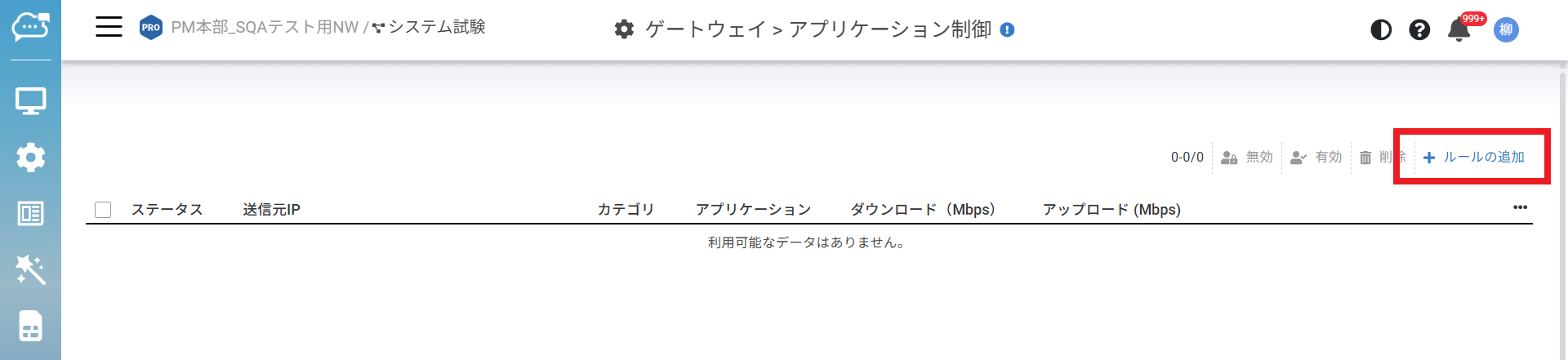
1. 「**設定**」>「**ゲートウェイ**」>「**アプリケーション制御**」に移動します。
2. 「**ルールの追加**」をクリックします。
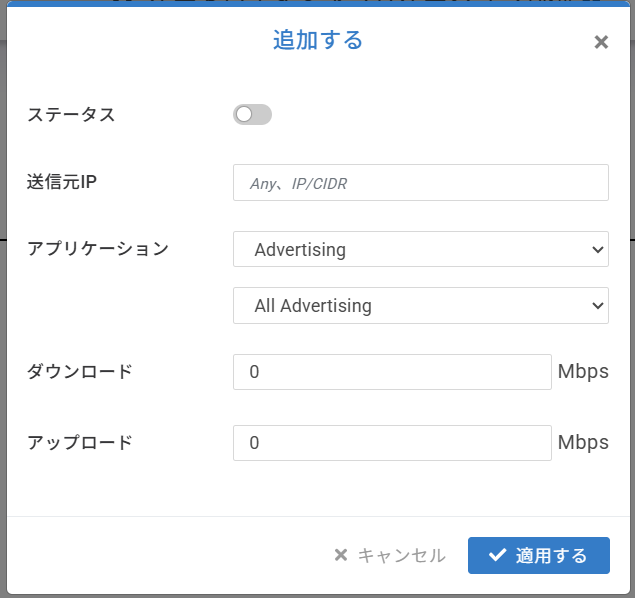
3. 必要な情報を入力し「**適用する**」をクリックして設定を保存します。
* **ステータス:**本ルールの有効/無効を設定します。
* **送信元IP:**IPアドレスまたはCIDR表記のサブネットを指定できます。複数のIPアドレスまたはサブネットはカンマ区切りで入力できます。
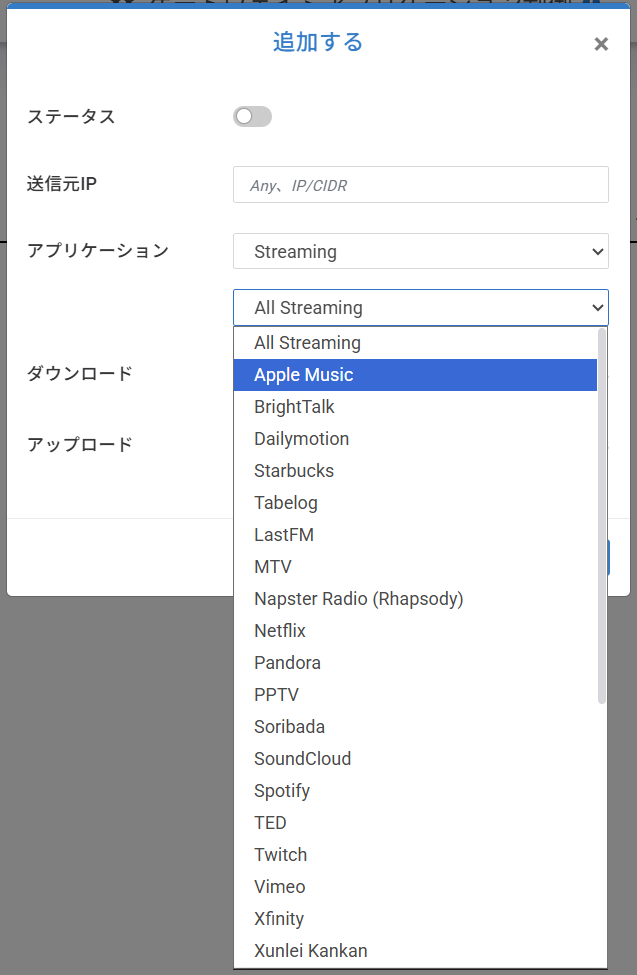
* **アプリケーション:**カテゴリ全体およびカテゴリ内の特定アプリケーションを制御できます。たとえば、Streaming 全体や Apple Music / Spotify の帯域を制御できます。
* **ダウンロード:**選択アプリケーションのダウンロード帯域を設定します。
* **アップロード:**選択アプリケーションのアップロード帯域を設定します。
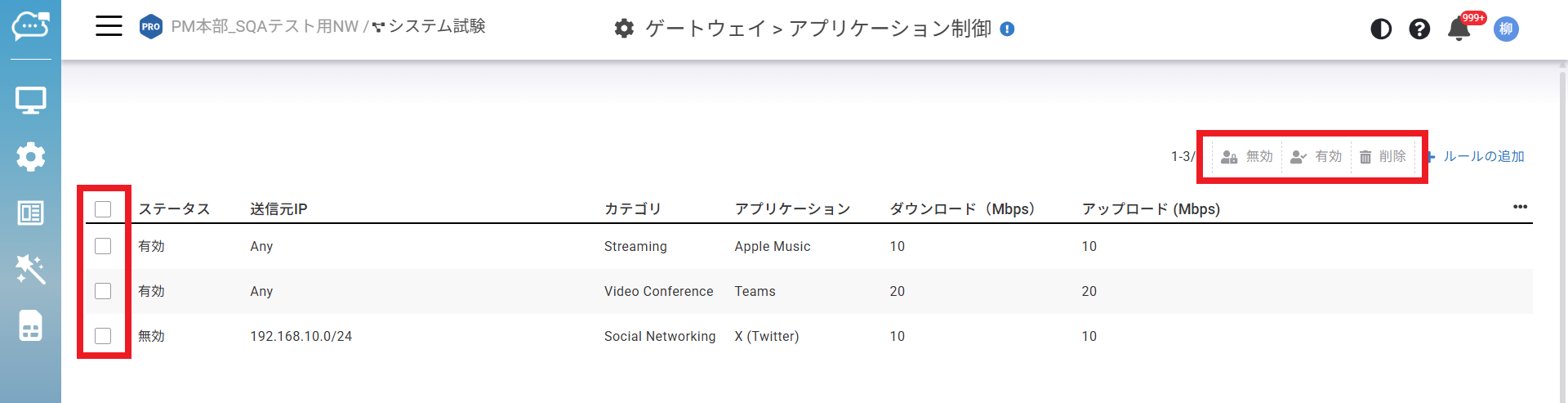
登録したルールは、左側のチェックボックスを選択することで一括無効/有効、削除が可能です。
---
# Agent Instructions
This documentation is published with GitBook. GitBook is the documentation platform designed so that both humans and AI agents can read, navigate, and reason over technical content effectively. Learn more at gitbook.com.
## Querying This Documentation
If you need additional information that is not directly available in this page, you can query the documentation by asking a question.
Perform an HTTP GET request on the following URL with the `ask` and `goal` query parameters:
```
GET https://docs.lan.kokomocloud.com/configuring-networks/configuring-gateway/application-control-settings.md?ask=&goal=
```
`ask` is the immediate question: it should be specific, self-contained, and written in natural language.
`goal` is what the user is ultimately trying to achieve, the reason they need the answer. Sharing it helps GitBook give you a better, more relevant answer. A goal is most helpful when it describes the outcome the user wants rather than restating the question. For example, with `ask=how do I create an API token`, a goal like `automate deployments from our CI pipeline` lets GitBook tailor the answer to that use case.
The response will contain a direct answer to the question and relevant excerpts and sources from the documentation.
Use this mechanism when the answer is not explicitly present in the current page, you need clarification or additional context, or you want to retrieve related documentation sections.