> For the complete documentation index, see [llms.txt](https://docs.lan.kokomocloud.com/llms.txt). Markdown versions of documentation pages are available by appending `.md` to page URLs; this page is available as [Markdown](https://docs.lan.kokomocloud.com/analytics/device-events.md).
# デバイスイベント
デバイスイベントは、個々のデバイスに固有のイベントであり、KOKOMO Cloudのログに記録されます。イベントの例としては、デバイスがオンラインまたはオフラインになった正確な時刻などが挙げられます。
{% hint style="warning" %}
ログの保存期間は最大30日間となります。それ以前の日付を設定しても閲覧することはできません。
{% endhint %}
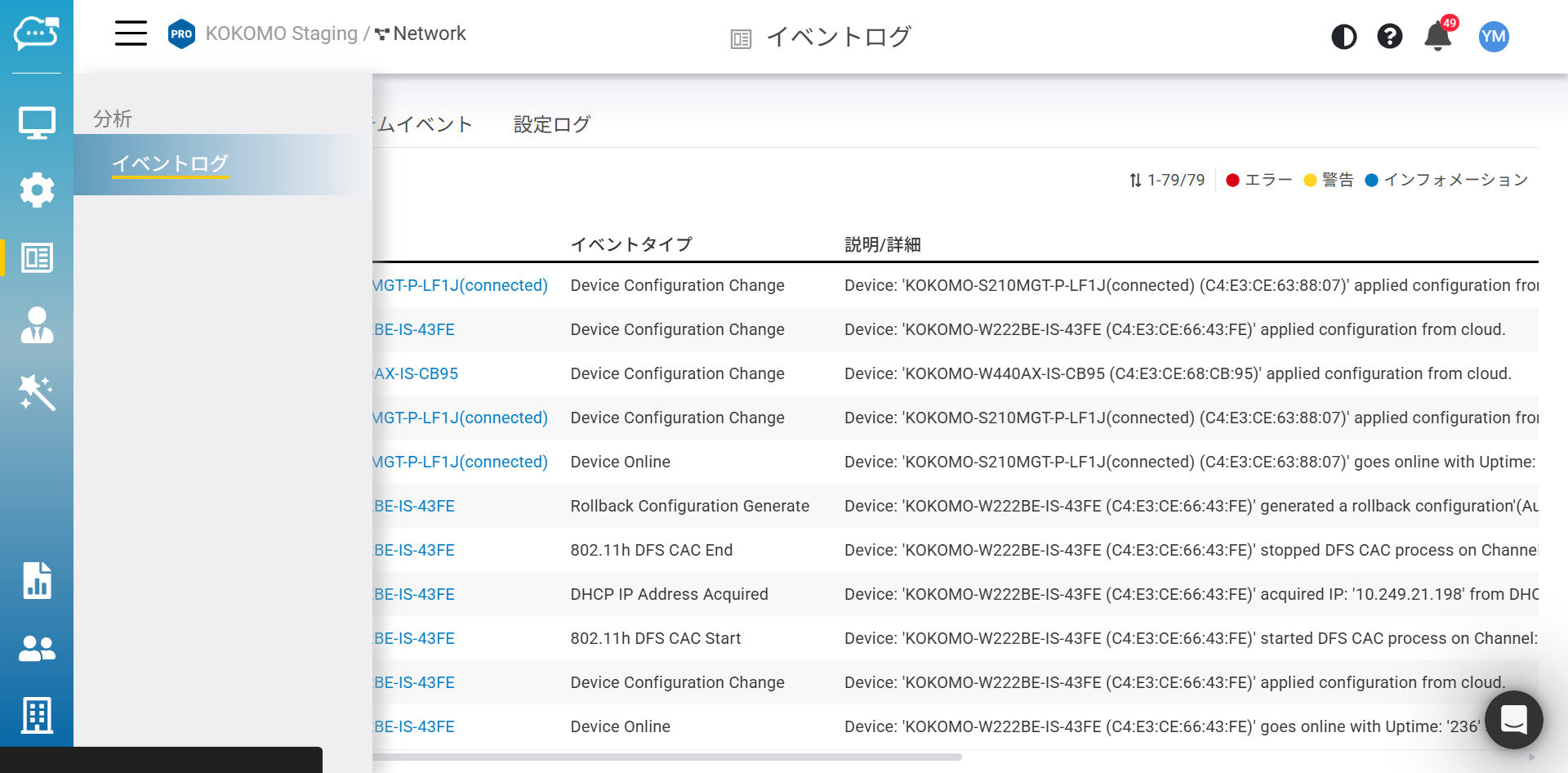
以下の画面で「**デバイスイベント**」を確認できます。
「**分析**」>「**イベントログ**」>「**デバイスイベント**」をクリックして、この画面にアクセスします。
## イベントログの検索
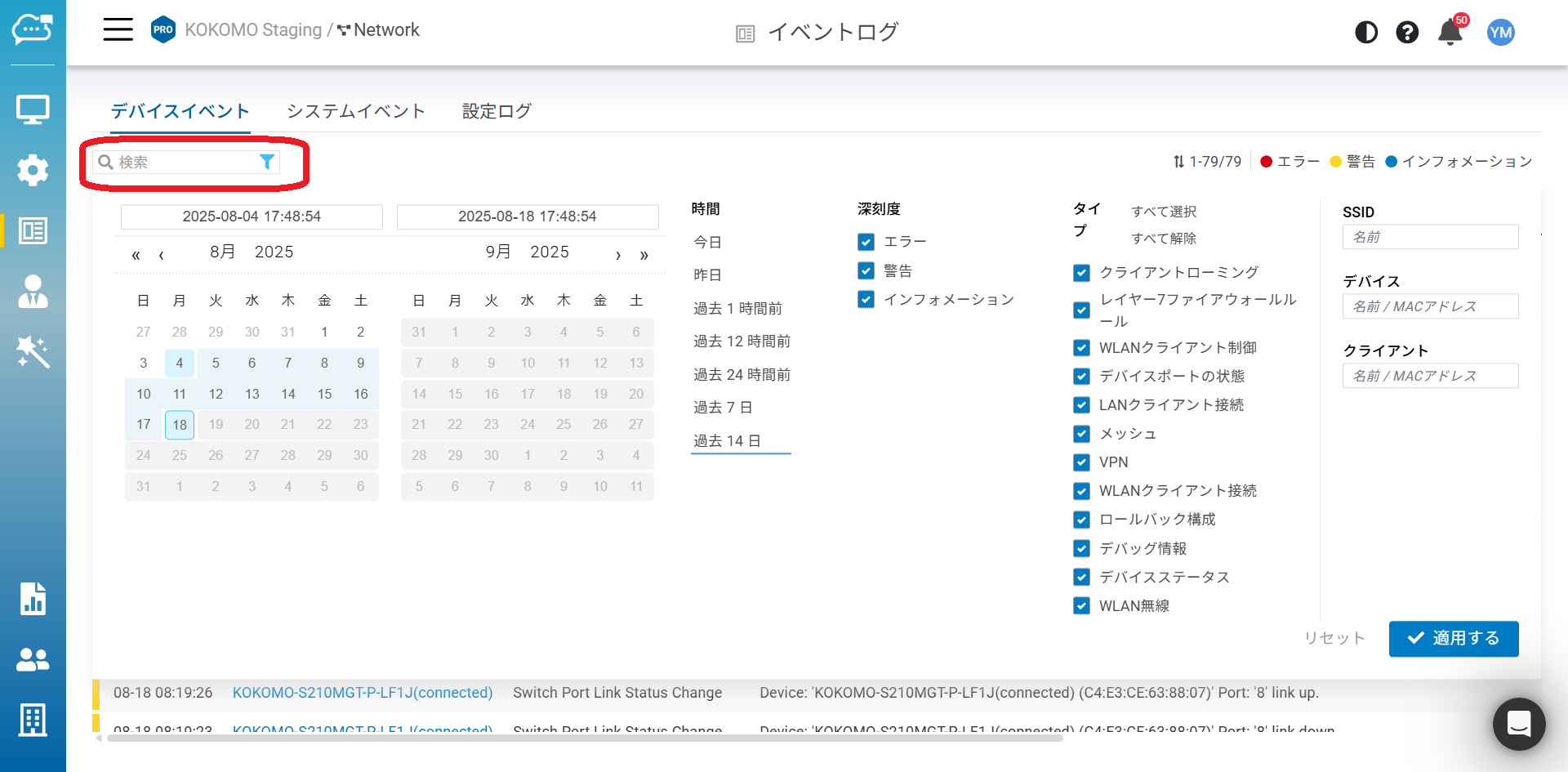
KOKOMO Cloudでは、さまざまな所望のパラメーターに基づいてデバイスイベントを検索できます。
日付/時刻や重大度、その他のパラメーターを指定できます。
1つまたは複数のイベントタイプを選択し、SSIDやデバイス名/MACを入力するか、またはクライアントを選択すると、関連するログメッセージが表示されます。検索をカスタマイズしたら、「**適用する**」をクリックして検索を実行してください。
{% hint style="info" %}
14日前のログよりさらに前のログも30日以内であれば閲覧可能です。カレンダーの日時フィルタを使用して必要な期間を設定してください。
{% endhint %}
---
# Agent Instructions
This documentation is published with GitBook. GitBook is the documentation platform designed so that both humans and AI agents can read, navigate, and reason over technical content effectively. Learn more at gitbook.com.
## Querying This Documentation
If you need additional information that is not directly available in this page, you can query the documentation dynamically by asking a question.
Perform an HTTP GET request on the current page URL with the `ask` query parameter, and the optional `goal` query parameter:
```
GET https://docs.lan.kokomocloud.com/analytics/device-events.md?ask=&goal=
```
`ask` is the immediate question: it should be specific, self-contained, and written in natural language.
`goal` is optional and describes the broader end goal you are ultimately trying to accomplish on behalf of the user. GitBook uses it to tailor the answer towards what is most useful for that goal.
The response will contain a direct answer to the question and relevant excerpts and sources from the documentation.
Use this mechanism when the answer is not explicitly present in the current page, you need clarification or additional context, or you want to retrieve related documentation sections.